


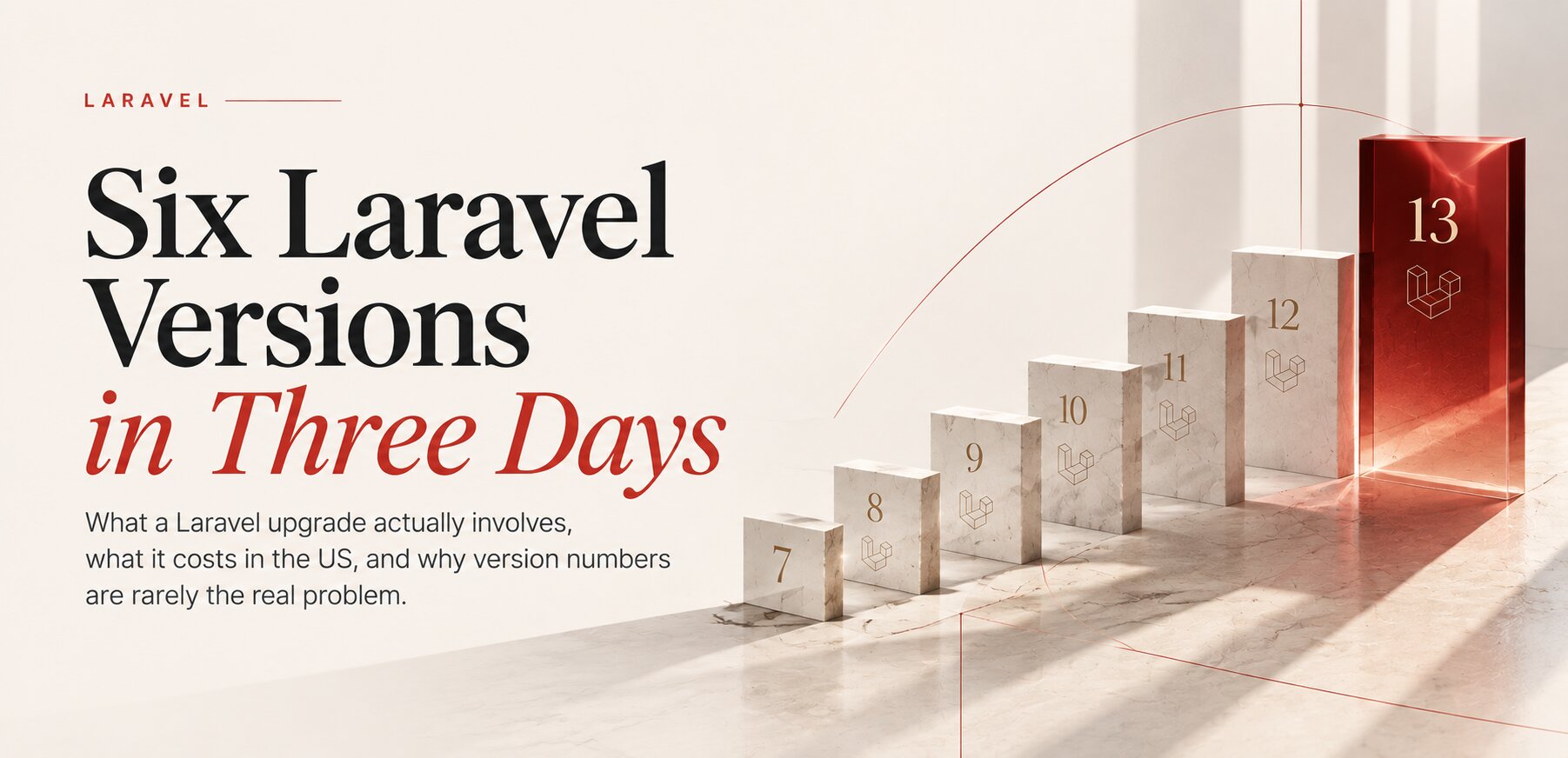
What a Laravel upgrade actually involves, what it costs in the US, and why version numbers are rarely the real problem
THE PROBLEM
The Site Worked
A trilingual corporate website, with its own admin panel, a lead system and years of content, had been running reliably on Laravel 7 and PHP 7.4.
Nobody complained. Pages loaded. Forms worked. The business ran on it every day.
Underneath, however, PHP 7.4 had stopped receiving security fixes in November 2022, and Laravel 7 had been unsupported for years.
The website wasn't broken. It was simply getting older underneath the surface.
We recently moved that application from Laravel 7 to Laravel 13 and from PHP 7.4 to PHP 8.4. Six major Laravel versions. About three days of development. One day of acceptance testing. Five minutes of planned downtime. And one abandoned package that turned out to be more important than the framework itself.
The interesting part isn't that we managed to do it quickly. The interesting part is understanding what actually happens during a Laravel migration, what an American client should expect to pay for it, and why a $29 automation step can coexist with a $20,000 upgrade quote without either number being absurd.
Because there is no single price for a Laravel upgrade. There is only the price of understanding what you are upgrading.
In short
- Laravel cannot skip major versions, so 7 to 13 means six separate migrations: 8, 9, 10, 11, 12 and 13.
- The hardest part of this project was not the framework but an abandoned forms package behind more than 200 form fields in the admin panel.
- Two failures that would have hit production, a silent email problem and a route-cache trap that turned every page into a 404, were caught on a closed staging copy.
- Automated tools cost from about $19 to $39 per upgrade step. A full agency upgrade for a US client typically lands in the $8,000 to $25,000 range. Both numbers are honest; they buy different things.
- For a small, healthy application, the cheapest option may be doing it yourself.
NOT ONE STEP
Not One Operation
One of the easiest mistakes is to imagine a migration like this: change a number in composer.json, run composer update, fix a few errors, go home.
It doesn't work that way.
Laravel's own upgrade guides treat every major release separately, and the framework does not support jumping over the intermediate versions. Laravel 13 requires PHP 8.3 or newer, and each major release receives 18 months of bug fixes and two years of security fixes.
So our actual path was Laravel 7 → 8 → 9 → 10 → 11 → 12 → 13, and we treated every step as its own migration. One version. One commit. One test cycle. Then the next.
That may sound unnecessarily cautious. It isn't. If something breaks after six versions of changes, you have a debugging problem. If something breaks after one version, you have a migration problem. Those are very different things.
And not every version is equally difficult, which is another reason why counting versions is a bad way to estimate cost. Some releases are quiet. Others move components your application depends on. Laravel 9, for example, replaced Swift Mailer with Symfony Mailer and moved file handling to Flysystem 3. Those aren't cosmetic changes: email and files are two things that can keep looking normal while silently failing. Laravel 11 changed the application structure and configuration again. Laravel 13, by Laravel's own description, was designed as a relatively light upgrade in terms of application code.
So a migration is not six identical jobs. It is six different compatibility exercises. Some are boring, some are mechanical, some expose assumptions made five or ten years ago. And one of them may contain the thing that makes the whole project expensive.
OUR CASE
The Framework Wasn't Hardest
On paper, this looked like a good upgrade candidate. No complicated queues, no large background-job infrastructure, a modest amount of custom code. The risks were elsewhere.
An abandoned forms package. The admin panel depended on a forms library that had stopped being maintained years ago, with no version compatible with modern Laravel. It wasn't used once or twice: it was called more than 200 times across 29 template files. Replacing it field by field would have turned a clean migration into a completely different project.
A file manager with its own routes and configuration. File handling is exactly the kind of infrastructure that breaks quietly during framework upgrades.
Email. The most commercially important part. The website exists partly to generate leads. If pages stop loading, someone notices. If the form shows a "thank you" message but the email never arrives, the business can look perfectly healthy while leads disappear. That is a much more dangerous failure.
Three languages. Every page exists in English, Russian and Ukrainian, and language prefixes are built from the database while routes are being built. That detail became important later.
BEFORE CODE
Before the First Line
The most valuable hours of the project were spent before anything changed.
We created a separate branch and recorded the exact production commit. We set up a closed staging copy with the database and assets, restricted at the server level rather than simply marked noindex. We documented the PHP extensions, settings, deployment commands and rollback procedure. Then we started.
The live site remained untouched.
That sounds obvious. It isn't. A surprising number of legacy migrations become expensive because someone starts modifying production before fully understanding what they are dealing with.
The live website is not a laboratory. It pays the bills.
SIX VERSIONS
One Version at a Time
- Laravel 8: a calm step. Structure and configuration changes, nothing dramatic.
- Laravel 9: the first genuinely interesting step. The new mailer and the new file system layer: precisely the areas where a site keeps rendering normally while something underneath has stopped working.
- The forms package: instead of replacing two hundred fields one by one, the developer wrote a small compatibility helper that preserved the way the admin already called its forms. One of the largest risks in the project, removed without rewriting the admin.
- Laravel 10: the file manager was updated and protected, and an outdated time zone identifier was replaced. A small change, but one of those that sit unnoticed until the system moves to a newer runtime.
- Laravel 11: another important step for email configuration. And this is where testing caught something that would have been particularly unpleasant in production.
- Laravel 12 and 13: by this point, the framework itself was becoming less interesting. The remaining work was comparatively quiet. Then came PHP 8.4.
After every step we checked the public site, the admin panel, the forms and the error log. The point wasn't to prove that Laravel had upgraded. The point was to prove that the business had survived the upgrade.
NEAR MISSES
What Almost Broke
Two things would have caused real problems. Both were caught on staging. Neither would necessarily have been obvious to a visitor.
The email that stopped existing. Laravel 11 changed how mail encryption is configured. With the old settings, the site would have looked fine. The form would submit, the visitor would see the normal success message, and nothing on the screen would say: your lead just disappeared. We sent a real test lead and waited for the email. Only then was that step considered complete. That is the difference between "the code runs" and "the business works."
The optimization that turned every page into a 404. Laravel can cache routes to improve performance, and normally that is a perfectly reasonable optimization. On this site, it was wrong. Language prefixes were built from the database while routes were being built, and caching froze the routes without any language information. Every page on staging immediately returned "not found". It took about a minute to undo. On production, it would have been an outage.
So we now have a very specific project rule: never cache routes on this project. And that rule doesn't live only in someone's memory. It lives in the project's instructions for developers and AI agents, the file we described in Your Codebase Needs a Manual for AI. The agent doesn't need to know every possible Laravel optimization. It needs to know this project's reality.
A third, smaller one: the original rollback plan pointed to a version tag created before several days of unrelated work. Rolling back to it would have quietly undone that work too. The rollback point was changed to the exact production commit.
RELEASE DAY
Release Day, Silent Failures
Because the hard work happened in advance, the release itself was short and boring, which is exactly how a release should be. A backup, the merge, the new dependencies installed on PHP 8.4, the PHP version switched in the hosting panel, caches cleared. The only real downtime was the hosting applying the PHP switch: about five minutes, planned for a quiet hour.
Then came the part that actually matters.
A website that throws a fatal error is obvious. A website that looks normal while losing leads is not. That is why our acceptance checks are not just "does the application load?" For this migration we checked 15 public pages across three languages, 30 admin screens, a real test lead with a confirmed email, the error log and 987 internal links.
Zero broken links. That is what "the upgrade works" actually means.
SPEED
And Then, Speed
One of the most useful findings didn't come from the framework at all.
While preparing the release, we measured the old site and noticed that the hosting plan offered OPcache, a cache for compiled PHP code, and that it had never been switched on. Without it, PHP recompiles every file on every request. Once we enabled it, the old Laravel 7 site went from roughly 55 milliseconds of server response to about 21. Roughly two and a half times faster, for a few dollars a month.
After the upgrade, with OPcache on, Laravel 13 answered in about 25 milliseconds. The newer framework loads more code, and the faster PHP roughly compensates for it.
So Laravel 13 didn't magically make the site faster. A setting that had been sitting there unused did. Not a redesign. Not a rebuild. Not a new application.
Sometimes the biggest improvement isn't the thing you thought you were buying. Which is another reason an upgrade should begin with an audit rather than a quote.
THE COST
What It Really Costs
This is where the simple answer becomes misleading. Search for Laravel upgrade pricing and you will find everything from a few dozen dollars to tens of thousands. All of those numbers can be legitimate. They are simply paying for different things.
Laravel Shift, the best-known automation service, charges roughly $19 to $39 per upgrade step depending on the version, with subscription plans starting at $99 per year per repository. By Shift's own estimate, its Laravel 12 upgrade saves about two hours of work, and its Laravel 13 upgrade about one.
That is not a $29 Laravel migration. It is a $29 automation step. Those are very different things.
For a US client in 2026, it is more useful to think about Laravel modernization in bands. One Laravel pricing guide lists US and Western European developer rates at $100 to $200 an hour, and Eastern European rates at $35 to $75. That spread alone explains much of what you see in quotes.
1. Do it yourself: $30 to $500+. Shift or Rector, an AI coding agent, a staging server, your own time and a weekend. For a small Laravel application with good tests, no abandoned dependencies and little custom business logic, paying anyone several thousand dollars simply because the framework version is old may not make economic sense. The problem is not the tool. The problem is knowing whether your application is actually that simple.
2. Automation plus developer review: roughly $1,000 to $5,000. The automation handles mechanical changes, and someone who knows Laravel reviews every step, runs the tests and checks dependencies on staging. This works very well for a relatively healthy application. Some published ranges sit at the low end of this band: one specialist lists a single-version upgrade on a maintained app as a one-to-three-day job, and three or more versions behind with no tests and abandoned packages as three to six weeks, from $2,500 and up. The automation is cheap. The expensive part is the human who understands when the automation is wrong.
3. Freelancer: roughly $3,000 to $10,000. For small and medium applications, a competent independent Laravel developer is often the most economical paid option. The price depends heavily on the state of the application: a freelancer may spend 20 hours on one project and 100 hours on another that looks almost identical from the outside.
4. Professional fixed-price upgrade: roughly $8,000 to $25,000. This is where published, Laravel-specific pricing becomes useful. One example is an India-based provider that sells fixed-price upgrades to US and UK clients: a paid assessment of $750 to $1,500, then $8,000 for small applications with one or two version hops, up to $25,000 for large applications with five or more hops or payments. If an offshore provider prices the work there, a US agency working at US rates will usually sit at or above that range. What the client is paying for is not "Laravel 7 → 13". It is discovery, dependency analysis, staging, version-by-version migration, testing, deployment, rollback planning, and someone being responsible if something goes wrong.
5. Complex application: $25,000 to $50,000+. Payments, multiple external APIs, multi-tenancy, queues, custom authentication, large admin systems, abandoned packages, no tests. At this point you are no longer doing a framework migration; you are doing application modernization. Even at offshore rates, one 2026 analysis puts a medium SaaS three or four versions behind at $14,000 to $30,000, and a large enterprise application at $25,000 to $70,000 or more.
6. Enterprise modernization: $50,000+. At enterprise scale, Laravel is almost incidental. CRM, ERP, payments, SSO, data pipelines, compliance, several teams. Migration becomes a program rather than an upgrade, and the cost is dominated by coordination, testing and business continuity.
These are planning ranges, not universal market prices, and the real number depends on the condition of the codebase. But they explain the apparent contradiction: a $29 automated step and a $20,000 project aren't competing products. One buys automation. The other buys a controlled outcome.
THREE DAYS
Three Days Isn't the Price
This is perhaps the most important lesson from our case. Someone could read "Laravel 7 → 13, three days" and conclude: so why would anyone quote me $15,000?
Because three days was the implementation time of this particular migration after the difficult questions had already been answered. The project also required understanding the existing application, identifying the abandoned package, deciding not to rewrite 200 form fields, building the compatibility layer, creating staging, planning rollback, checking mail, three languages and the admin, testing route behavior, validating 987 internal links, preparing deployment and acceptance testing.
The actual release took minutes. That doesn't mean the project took minutes. It means the preparation worked. And that is exactly what you are paying for when you hire someone experienced.
THE MULTIPLIER
Neglect, Not Versions
If this were a printed magazine, this is the line I would put in bold: migration cost is driven more by accumulated neglect than by version distance.
A Laravel 10 → 13 application can be harder than a Laravel 7 → 13 one. The Laravel 10 application might have no tests, six abandoned packages, a custom fork, an undocumented payment integration, a strange deployment process and three developers who left the company. Meanwhile, the Laravel 7 application may be unusually clean.
Version numbers tell you where you are. They don't tell you what is waiting underneath.
Migration cost is driven more by accumulated neglect than by version distance.
WAITING
Why Waiting Costs More
Every year you wait, you aren't simply adding another version number. You are accumulating assumptions. Dependencies age. Developers leave. Hosting changes. Third-party APIs change. Packages disappear. And eventually the person who knows why something works that way is no longer available.
One agency describes a client whose upgrade would have cost $8,000; eight months later, under time pressure and with new integrations built on deprecated packages, it cost $26,000. Laravel makes the cycle explicit: Laravel 11's security support ended on March 12, 2026, Laravel 12 receives security fixes until February 24, 2027, and Laravel 13 until March 17, 2028.
The cheapest migration is usually the one you don't allow to become archaeological.
AI
What AI Changes
There is another major difference between 2021 and 2026. We now have coding agents: Claude Code, Codex, Cursor, alongside tools like Rector and Laravel Shift. An agent can read the codebase, find deprecated APIs, update repetitive syntax, explain changes, run tests and fix straightforward failures. That changes the economics of the mechanical part.
It does not change the fundamental risk. The agent can make the code compile and the existing tests pass. It cannot automatically know that a contact form that displays "thank you" but no longer sends email is a business failure.
AI can accelerate the migration. It cannot own the migration.
DIY FIRST
Try It Yourself First
We want to say this explicitly, because it is the honest thing to say.
If you have a small Laravel application, a competent developer on your team, a staging environment and a good backup strategy: try the cheap options first. Use Shift. Use Rector. Use an AI coding agent. Read the official upgrade guides. Do one version at a time. Test everything, especially the things that don't throw errors when they fail.
You may not need an agency.
We don't believe every old Laravel application should become a $15,000 consulting project. Some should cost $500. Some should cost $5,000. Some should cost $25,000. And some should be rebuilt instead. The only way to know which one you have is to look at the application.
THE DECISION
Upgrade, Rebuild or Wait?
There are really three decisions.
- Upgrade if the business logic is sound, the application is worth keeping and the main problem is technical age.
- Rebuild if modernization starts requiring the replacement of most of the application anyway. A common industry rule of thumb is to compare a major upgrade with a clean rebuild once the upgrade estimate approaches roughly 60% of rebuild cost. It is not a law, but it is a useful point at which to stop assuming that "upgrade" is automatically cheaper.
- Wait only if the application is genuinely about to be replaced. Otherwise waiting is not free: you are converting today's controlled project into tomorrow's emergency.
THE LESSON
The Easy Part
Looking back, the framework upgrade itself was the most predictable part of the project. The value was in everything around it: finding the abandoned package before it became an emergency, knowing which compatibility problem to solve rather than rewrite, catching the silent mail failure and the route-cache trap, recording the exact production commit, testing on a closed copy, knowing exactly how to roll back.
And eventually writing the project's lessons into its own instructions.
That last part is increasingly important. The next time an AI agent enters this codebase, it doesn't have to rediscover the same lesson. It already knows: do not cache routes here. A very small instruction. But it represents something much larger.
The project has started to remember.
And perhaps that is the real goal of modernization. Not simply moving from Laravel 7 to Laravel 13, or from PHP 7.4 to PHP 8.4, but turning a system that has accumulated years of invisible decisions into a system the next developer, human or AI, can actually understand.
That is why the question is never simply "How much does a Laravel upgrade cost?" The better question is: "How much does this particular codebase need to be understood before we change it?" Because that is what you are really paying for.
If you want the wider picture first, our guide on upgrading an old Laravel or PHP site covers the decision step by step. And if you'd like a second opinion on your own application, our website modernization work starts with an audit that tells you which option fits, including the ones that don't involve us.
FAQ
Frequently Asked Questions
How much does a Laravel upgrade cost in the US?
From tens of dollars for automated steps you run yourself to $8,000 to $25,000 for a professional fixed-price upgrade, and $25,000 to $50,000 or more for complex applications. The condition of the codebase matters more than the number of versions.
How long does a Laravel 7 to 13 upgrade take?
In our case: about three days of development, one day of acceptance testing and five minutes of downtime. Applications with more custom code, integrations or no tests can take several weeks.
Can I skip Laravel versions?
No. Laravel is upgraded one major version at a time, and PHP usually has to move with it. Laravel 13 requires PHP 8.3 or newer.
Is Laravel Shift enough?
It automates much of the mechanical work for about $19 to $39 per step and is a good fit if someone can review and test each step. It does not check your forms, email delivery, integrations or search indexing.
Will the upgrade make my site faster?
Not by itself. Newer Laravel versions load more code. In our case the real speed gain came from enabling OPcache on the hosting.
Sources
- Laravel 13 release notes and support policy, Laravel documentation
- Available Shifts and prices, Laravel Shift
- Laravel 11.x to 12.x Shift, Laravel Shift
- Shifty Plans, Laravel Shift
- PHP & Laravel Upgrade, fixed price, Techimpace
- Laravel Version Upgrade Cost in 2026, Acquaint Softtech
- How Much a Laravel Version Upgrade Costs, Dev Loader
- Laravel Development Cost Guide, hourly rates by region
Running an old Laravel or PHP application? Find out what it really needs before anyone quotes you a price.
- Share
-

-

-

-

Related Reading
-
29. 09. 2026

Upgrading an Old Laravel or PHP Site in 2026

-
30. 09. 2026

Your Codebase Needs a Manual for AI
-
26. 08. 2026
The Hidden Technical Debt That Makes Website Redesigns More Expensive Than Planned
-
27. 08. 2026
The Website Migration Checklist Most Agencies Skip
-
04. 09. 2026

Do I Need a Developer, or Is AI Enough?
-
15. 07. 2026
Everything You Build Starts Aging the Day You Finish It