
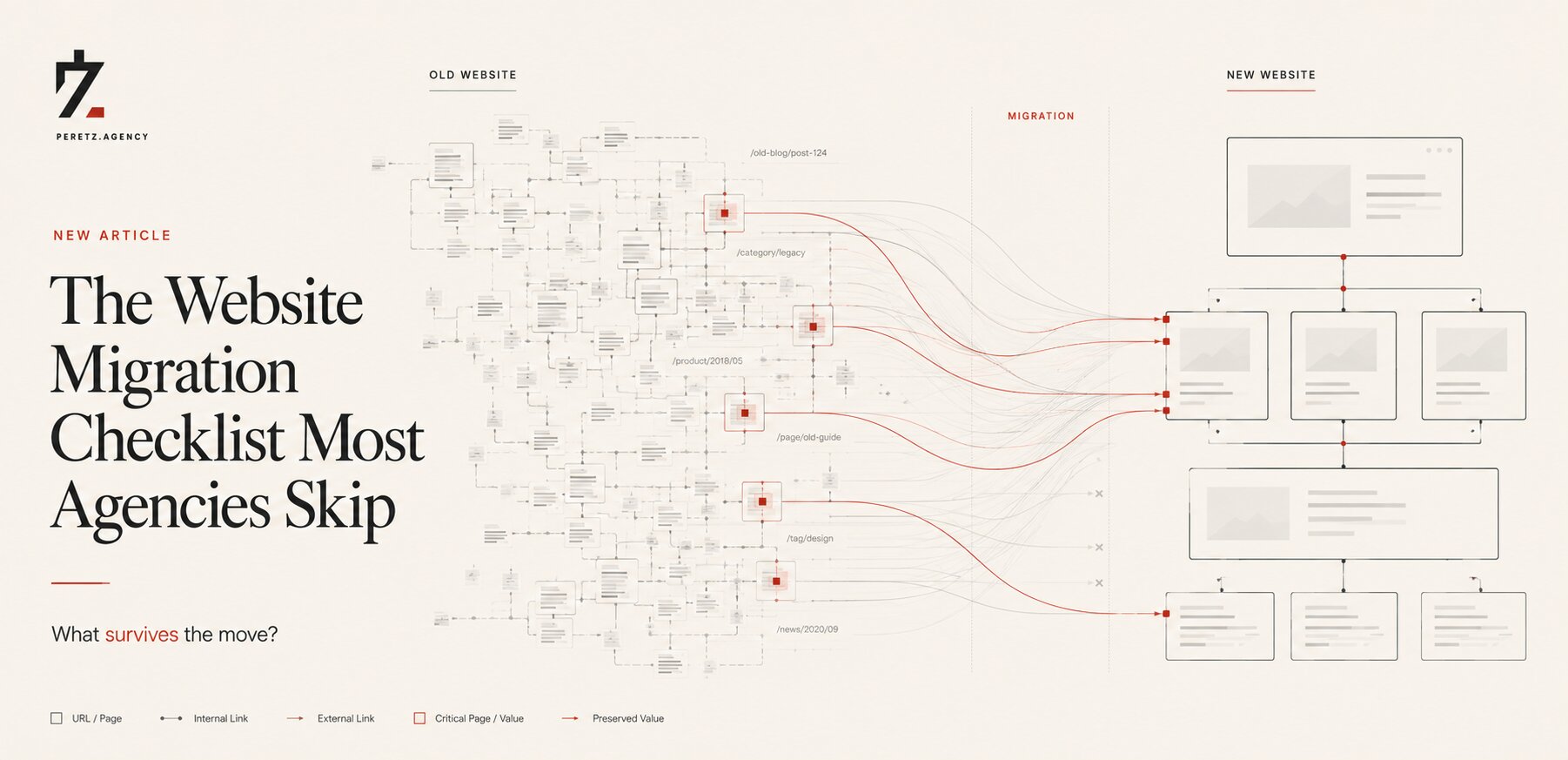
Most website migrations do not fail with a bang.
They fail quietly, weeks after everyone has already moved on to the next project.
The launch looks clean. The new website is faster. The design is better. The CMS works. The redirects appear to be in place. Traffic drops a little, as everyone expected, and then the team starts calling the migration a success.
Sometimes it is.
Sometimes the real problem has simply not appeared yet.
A migration checklist exists for a reason. But most checklists focus on the visible mechanics: redirects, sitemap, mobile, analytics, DNS.
The difficult part is everything that sits between the old website and the new one, the accumulated URLs, backlinks, internal relationships, structured data, language signals and search history that a business may have spent years building. We wrote about how that accumulation happens quietly over time in Everything You Build Starts Aging the Day You Finish It.
A successful migration is not about launching a new website.
It is about moving everything that made the old website valuable without losing the signals that made search engines understand it. Whether to carry the old structure over or start fresh is a separate decision, covered in Website Redesign vs New Website.
Why Failure Looks Quiet
Why Failure Looks Quiet
A clean migration and a broken migration can look almost identical during the first week.
Some traffic loss is normal. Google has to crawl the new URLs, process redirects and re-evaluate the relationship between the old and new versions of the site.
In documented migration data, successful recoveries can follow a deep V-shaped pattern: an initial decline, a period of instability and then a return toward the previous level over the following weeks or months.
A problematic migration can look similar at first.
The difference is what happens afterward.
The danger is therefore not the first traffic dip. It is assuming that the first dip is the whole story.
We have seen this kind of thinking repeatedly: a team launches on Friday, checks Analytics on Monday, sees that the numbers are roughly where expected and moves on.
That is not enough evidence to call a migration successful.
A migration should be judged by the trajectory that follows it, not by the screenshot taken three days after launch.
The Redirect Map Nobody Finishes
The Redirect Map Nobody Finishes
Everyone knows redirects matter.
Far fewer teams redirect everything that actually needs to be redirected.
The obvious pages usually survive: the homepage, major service pages, important products.
The difficult part is the long tail.
Old articles. Category pages. Landing pages. URLs that receive almost no traffic individually but have accumulated backlinks, internal authority or search visibility over many years.
One documented migration crawled 14,200 URLs and created redirects across the full set rather than limiting the map to the pages that appeared most important in analytics. Another tested almost a thousand individual redirects before launch.
That level of preparation can look excessive until something breaks.
The reason teams skip the long tail is usually not negligence. It is prioritization.
Under a deadline, people naturally protect the pages they can see in the top-traffic reports.
Search engines do not care about the deadline.
There is another problem that is even easier to miss: URL variants.
HTTP versus HTTPS. With or without www. Trailing slashes. Capitalization. Old URL structures. Parameters and legacy paths.
To a person, these may look like the same page.
To a search engine, they can represent different URLs and therefore different accumulated signals.
A migration map that covers the pages people remember but ignores the URLs nobody remembers is not a complete migration map.
The same logic extends beyond URLs. A migration also moves everything the business has quietly become dependent on, plugins, integrations, third-party scripts, the kind of accumulated dependencies we explored in Most Companies Don't Own Their Website. They Own a Collection of Dependencies.
The long tail is where years of accumulated history tend to hide.
Older Sites Can Be Harder to Move
Older Sites Can Be Harder to Move
One migration can recover in weeks. Another can take many months.
It is tempting to blame the platform, the CMS or the redirect implementation.
Those things matter. But they are not the whole picture.
Research tracking 892 domain migrations found a strong relationship between recovery time and the size of a site's existing backlink footprint.
That makes intuitive sense.
A relatively young site has less history for Google to recrawl, reassess and reassign. A mature site may have thousands of references accumulated over years: external links, indexed URLs, internal relationships and historical signals.
This creates an uncomfortable paradox.
The more established the website, the more carefully its migration may need to be handled.
Age itself is not the problem. Accumulated complexity is.
This is why a ten-year-old website with strong search visibility should not be treated as simply a larger version of a two-year-old website.
Its migration risk is different.
And that risk should be understood before anyone starts redesigning templates or choosing a new CMS.
We are going through exactly this kind of transition ourselves right now with SHTAYER, migrating a growing multi-language catalog from WordPress to Laravel as the old platform ran out of room. We wrote about the kind of decision that triggers a move like this in When Does a Business Outgrow WordPress?.
The Three-Week Blind Spot
The Three-Week Blind Spot
One of the most dangerous moments in a migration is when nothing appears to be wrong.
Rankings and traffic can remain relatively stable during the first several weeks while Google processes the changes.
Then the signal can move.
Sometimes positively. Sometimes negatively.
This creates a practical problem: the people responsible for the migration are often no longer responsible for the website.
The development team has moved to another project. The SEO consultant has delivered the launch report. The client has approved the new site. In the worst cases, the old infrastructure has already been decommissioned.
Now there is a traffic problem, but no clean baseline and nobody with full context.
We therefore treat post-launch monitoring as part of the migration itself, not as an optional aftercare period.
A launch is a milestone.
It is not the end of the migration.
Structured Data Deserves Attention
Structured Data Deserves Attention
Schema markup is easy to forget because visitors rarely see it.
That is precisely why it gets lost during migrations.
A new CMS may generate its own structured data. It may generate none. It may replace carefully implemented markup with a generic implementation.
The website can look completely correct while the search engine receives materially different information.
Product schema, review schema, article schema and other structured data types have different requirements. A migration therefore needs more than a visual check.
The live implementation needs to be tested.
There is an important distinction here, too.
We would not tell a client that losing schema automatically means a major traffic collapse. Search performance is rarely controlled by one isolated signal.
The more realistic risk is that a migration removes several small advantages at once.
A rich result disappears. A page becomes less clearly understood. Click-through changes. A ranking shifts slightly.
Individually, none looks catastrophic.
Together, they can become expensive.
That is how migration problems often work: not as one dramatic failure, but as several small losses that nobody connects to the same launch.
Hreflang Can Break Silently
Hreflang Can Break Silently
For multilingual websites, the problem becomes more complicated.
Hreflang tells search engines about the relationship between language and regional versions of pages. During a migration, those relationships are particularly vulnerable because URL structures, templates, CMS logic and internal linking often change at the same time.
A malformed or incomplete implementation may not produce an obvious error on the page.
The website still opens.
The language switcher still works.
The content is still there.
But the signals sent to Google may no longer match the structure the business intended.
This is why multilingual migrations require architectural thinking, not simply translation checks.
The question is not only whether every language version exists.
It is whether the new system preserves the relationships between those versions.
That distinction matters particularly for businesses operating across several markets, where a technical mistake can quietly affect one language or region while leaving the others apparently healthy.
The Work Happens Before Launch
The Work Happens Before Launch
The strongest migrations share a simple characteristic:
Most of the difficult work happens before the DNS changes.
The redirect map is prepared while the old website is still live.
The URL inventory is compared against the new architecture.
Internal links are audited.
Schema is documented.
Hreflang relationships are mapped.
Analytics and Search Console data establish a baseline.
Important rankings and landing pages are identified.
The new site is tested against the old one before the old environment disappears.
This is not glamorous work.
Nobody sees a perfect redirect spreadsheet on launch day and thinks, What a beautiful migration.
But that spreadsheet may be the reason the launch is boring.
And boring is exactly what we want.
There is a broader principle here that we apply to technical due diligence in general, and wrote about in more depth in The Hidden Technical Debt That Makes Website Redesigns More Expensive Than Planned: the cheapest time to discover a structural problem is before you have built the new structure around it.
Finding the problem during planning is an audit finding.
Finding it after launch is an incident.
Monitoring Does Not End at Launch
Monitoring Does Not End at Launch
If the real signal may appear weeks after launch, checking Analytics three days later is not monitoring.
It is reassurance.
A serious migration needs a defined observation period.
That means watching organic traffic, rankings, index coverage, crawl behavior, 404s, server responses and the pages that mattered most before the migration.
It does not necessarily require an enormous technology stack.
A practical routine can be relatively simple: compare crawls against the pre-launch baseline, monitor new 404s and redirect behavior, review ranking movement and investigate unexpected changes rather than explaining them away as normal volatility.
The exact monitoring period should depend on the size and complexity of the site.
Six weeks may be a reasonable minimum for many migrations, but a large, authoritative or multilingual website may deserve substantially longer observation.
This is another place where rigid checklists can become dangerous.
A checklist should control risk, not replace judgment.
What Skipping This Can Cost
What Skipping This Can Cost
The documented cases are difficult to ignore.
One migration lost 42% of organic search traffic within twelve days after a company proceeded without a proper redirect strategy, citing limited IT resources.
Another mid-sized retail site launched with entirely new URLs and no redirects and lost approximately 60% of organic traffic within two weeks. Recovery required months of dedicated work.
There are other examples where URL changes transformed positive year-over-year organic performance into a sharp weekly decline immediately after launch.
These numbers should not be interpreted as a universal prediction.
A site will not necessarily lose 42% because someone misses a redirect.
That is not how search works.
The more useful lesson is simpler: migration errors can destroy value that took years to accumulate, and recovering it is usually much more expensive than protecting it before launch.
The cost is therefore not just lost traffic.
It can include lost leads, weaker rankings, paid acquisition replacing organic demand, internal engineering time and months spent trying to reconstruct what changed.
What the Checklist Needs
What the Checklist Needs
A serious migration checklist is less about having more boxes to tick and more about asking better questions.
Are we migrating every meaningful URL, or only the pages visible in the top-traffic report?
Have we accounted for URL variants and legacy structures?
Do we understand how much authority and history the existing domain has accumulated?
Have we documented the site's structured data before replacing the CMS?
Are multilingual relationships preserved rather than recreated from memory?
Do we have a pre-launch baseline?
Who is responsible for monitoring the site after launch?
And, perhaps most importantly:
What happens if the numbers look fine for three weeks and then suddenly don't?
That question changes the migration plan.
Because the safest migration is not the one with the longest checklist.
It is the one where the team has already thought through what could go wrong, established how it will be detected, and made the difficult decisions while there is still time to change them.
We do not think a website migration should be treated as a technical reset.
A website carries history.
Its URLs carry history. Its backlinks carry history. Its search visibility carries history. Its language architecture, internal links and structured data carry history.
The new website may look completely different.
The accumulated value behind it still needs to make the journey.
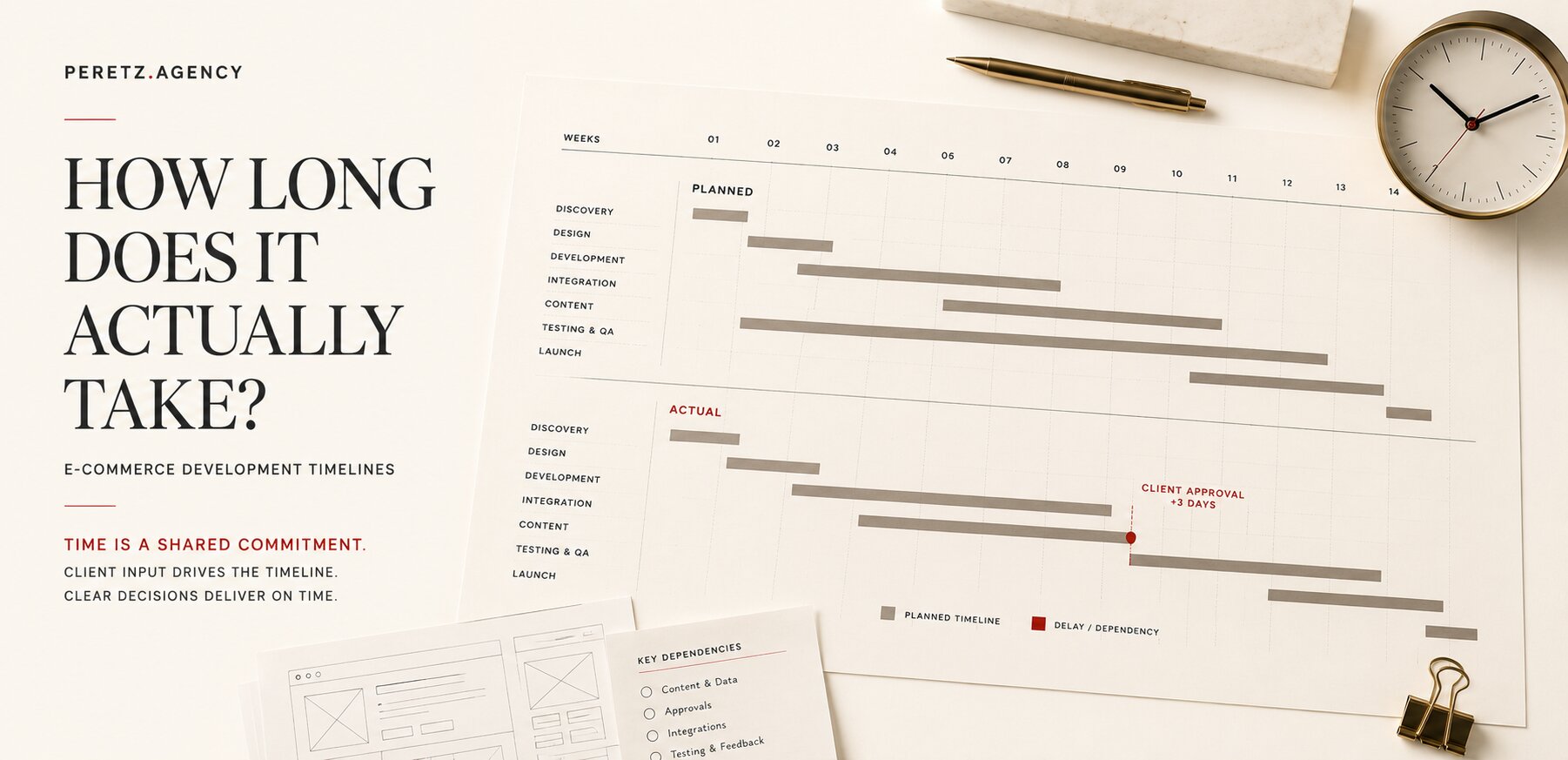
Migration work sits inside a wider schedule, and the dependencies that move it are covered in How Long Does an E-Commerce Build Actually Take, and What the Client Has to Do.
Multilingual sites carry an additional layer of migration risk, examined in Multilingual SEO: Why Translated Pages Do Not Rank in Their Own Markets.
If the move also involves an outdated PHP or Laravel version, read Upgrading an Old Laravel or PHP Site in 2026 before you plan the migration.
If you are preparing to migrate a website, the most useful time to discover a technical or structural problem is before the new site goes live. Our Technical Due Diligence Session is designed to examine the existing architecture, migration risks and critical technical dependencies before they become expensive problems.
Book a Technical Due Diligence Session
The SHTAYER brand refresh is a recent example of migrating an identity forward without losing what already worked.
- Share
-

-

-

-

Related Reading
-
15. 07. 2026
Everything You Build Starts Aging the Day You Finish It

-
30. 07. 2026

Most Companies Don't Own Their Website. They Own a Collection of Dependencies.
-
23. 08. 2026

When Does a Business Outgrow WordPress?
-
26. 08. 2026

The Hidden Technical Debt That Makes Website Redesigns More Expensive Than Planned
-
01. 09. 2026
How Long Does an E-Commerce Build Actually Take, and What the Client Has to Do
-
06. 09. 2026

Multilingual SEO: Why Translated Pages Do Not Rank in Their Own Markets
-
29. 09. 2026

Upgrading an Old Laravel or PHP Site in 2026
-
01. 10. 2026

Six Laravel Versions in Three Days