Taking Over a Website or App From Another Developer: What to Secure First


The contractor who built your site, store or app has left, gone silent or simply stopped being a fit. Your customers still expect it to work tomorrow morning. Here is why handovers go wrong, what to secure in the first week, what a takeover audit checks, and how we decide what to keep, what to upgrade and what to rebuild.
IN SHORT
How to take over a project from another developer
A takeover starts with access, not with code. In the first week you secure the domain, the hosting, the code repository, the credentials and a backup you have actually restored. Then an audit shows what is really running, and only after that does anyone decide what to keep, what to upgrade and what to rebuild.
A freelancer takes a full-time job and starts answering once a week, an agency changes its focus, or a cooperation that worked for years runs its course without anyone planning the exit. In every case the site, store or app keeps taking orders, leads or bookings, while the knowledge of how it works sits with people who are no longer close to it.
We take over projects on Laravel, PHP, WordPress, Magento, React and Next.js, as well as mobile apps, and we follow the same order every time: access, working backups, an understanding of how changes reach production, then the audit, then decisions. This article walks through that order with three of our own projects, where the right answer was an upgrade twice and a full rebuild once.
A project you cannot deploy without its last developer is not fully yours.
WHY HANDOVERS FAIL
Five reasons a handover breaks
Almost every difficult takeover we have seen comes down to some mix of five situations. None of them requires bad intent. A small team works fast, keeps the details in its head and plans to write things down in a quiet month that never arrives.
Access held by one person. The domain sits in the developer's personal registrar account, the hosting runs on the agency's reseller account, and Search Console was verified with the developer's own token. For .com and other generic domains, the registrar must hand the transfer code to the registrant on record within five calendar days of a request, under ICANN's Transfer Policy. If the registrant on record is your former contractor, the code goes to them.
No documentation. Asked for documentation, many owners send us an admin manual: how to add a product or publish a blog post. What a new team needs is different: how the parts connect, how a release reaches production, how to recover from a failure and which rules are not obvious from the code.
No staging. When every change is made directly on the live site, nobody can test an update without risking real orders. A new team then inherits two problems at once: an old system and no safe place to touch it.
Unknown versions. Nobody can say which PHP version runs in production, or when the framework was last updated. The dates are public. PHP 7.4 stopped receiving security fixes on 28 November 2022, PHP 8.1 on 31 December 2025, and PHP 8.2 loses them on 31 December 2026 (php.net, October 2026). Laravel gives each major release two years of security fixes, and Laravel 11 lost them on 12 March 2026.
Forgotten integrations. A scheduled task that sends a price feed every night, a webhook into the CRM, the payment provider's callback address, a contact form that still copies leads to someone who left two years ago. They work until they stop, and nobody knows they exist until then. We described how ownership slips away long before the developer actually leaves in Your Website Doesn't Fail When Your Developer Leaves.
FIRST WEEK
The first-week checklist
Before anyone reads a single file of code, the business needs control over the things the code depends on. We go through the same eight items with every owner, and for each one we write down who holds it and in whose name it is.
| Item | What the business should hold | How to check it works |
|---|---|---|
| Domain and DNS | The registrar account in the company's name, protected by two-factor login on a company email address | Log in yourself; check the registrant contact and the expiry date |
| Hosting and servers | Owner-level access at the hosting or cloud provider, plus server or panel access | Log in; list everyone else who can log in |
| Code repository | The repository with its full history, not an archive of files | Clone it and compare the latest commit with what actually runs on the server |
| Credentials and keys | An inventory of every password, API key and token, with a named holder for each | No item without an owner; shared admin passwords flagged for replacement |
| Backups | Recent copies of the files and the database, stored off the server | Restore one copy to a separate environment and open it |
| Deploy procedure | Written steps that take a change from a commit to production | Someone other than the author deploys a harmless change to a copy |
| Third-party accounts | Payments, email delivery, analytics, Search Console, CRM, app stores | The company is listed as owner, not only as a user |
| Licences | Paid themes, modules, plugins and other tools the project relies on | Licence keys tied to the business, renewal dates known |
Three items on this list cause most of the trouble, so they deserve a closer look.
The repository. Ask for a transfer of the repository, not a download. On GitHub, a transferred repository keeps its issues, pull requests and wiki, the commit history is preserved, and links to the old location redirect to the new one automatically (GitHub Docs, October 2026). The history explains why the code looks the way it does, and an archive of files throws that explanation away.
The backup. CISA's ransomware guide asks organisations to regularly test the availability and integrity of backups in a disaster recovery scenario. We treat a backup that has never been restored as an assumption. Restoring one copy to a separate environment answers two questions at once: whether the copy is complete, and how many hours a real recovery would take.
The credentials. OWASP's guidance on secrets is plain: when a secret is no longer required or may be compromised, revoke it, and never have one password for all administrative users. In practice that means replacing every password and key the previous team used, after the access has moved and on the same day. Search Console needs one extra step: according to Google's help pages, removing a verified owner means deleting their verification tokens as well, otherwise the removed owner can verify the site again.
Licences are the quiet item. Paid modules are often bought on a developer's own marketplace account, and a licence that cannot be renewed becomes an unpatched module a year later.
PARTING
Parting with the old contractor politely
The easiest takeover is the one where the previous team is still reachable and willing to help. Most contractors are, when the request is clear and the tone is respectful, and a calm exit is worth more than any argument about the past.
- List what you hold before you announce anything. Go through the first-week table on your own. The items you cannot open yourself are the ones to request first.
- Read the contract with your lawyer. Look for the notice period, the handover obligations and who owns the code and the accounts. We do not give legal advice, but we can tell you which technical items the clauses should cover.
- Ask for access as continuity, not as an exit. Adding the company as an owner of the registrar, the hosting and the repository is a normal request at any stage of a cooperation.
- Send one written list, through you. We prepare it: the repository with history, how a change reaches production, the environment settings and scheduled tasks, the third-party accounts, the known bugs and any promises made to you.
- Offer to pay for a handover call. One or two hours in which the previous developer walks us through the system often save days of reading code.
- Close the access on the day it moves. Passwords and keys replaced, old accounts removed, verification tokens deleted, and the same rule applies when anyone leaves later, us included.
Handovers stall most easily when money is still in question, so settle what is due for delivered work before the final requests go out. Keep every message about the knowledge you need, and leave judgements about the quality of the old work out of it. The goal is a working project.
A cold start is the case where nobody answers. We then begin with what the business controls itself, work out what can be regained through the registrar, the hosting provider and each service with proof of ownership, and reconstruct the rest from the server and the code. A cold start takes longer and costs more, which is one more reason to secure access while the relationship is still good.
AUDIT
What the takeover audit checks
Once the access is in hand, a project takeover audit finds out what is really running. It costs from $2,500, and the price is fixed before the audit starts. The price grows with the size of the project, the number of integrations and servers, the state of the documentation and how much access has to be recovered: a project with a cooperative previous team and a working repository costs less than a cold start with the domain in someone else's name.
Three people look at the project from different sides:
- A developer reviews the code: its structure, outdated or abandoned dependencies, security problems and the parts that only the previous developer understood.
- A DevOps engineer reviews the infrastructure: servers, environments, how deployments run, and whether the backups really restore.
- A project manager documents how the project works for the business, its integrations and the open work the previous team left behind.
AI-assisted code analysis lets us read unfamiliar code much faster than a few years ago. It shortens the discovery, but the reasons behind decisions are still found and written down by people, often by asking the owner why a strange rule exists.
The audit also looks for failures that show nothing on the screen. A contact form can keep thanking visitors while the email never arrives. A hosting move can drop the SPF and DKIM records and send leads to spam. A hosting default can block AI crawlers. So every audit includes a real test lead and a look at mail authentication, robots.txt and crawler access.
The audit price includes collecting the access, the written report, the project documentation and a call where we walk you through it. The report ranks the risks by urgency, gives a verdict for each part of the project and puts a plan and a budget on the next stage. It belongs to you, and you can continue with us or hand it to any other team. Urgent fixes found on the way are agreed with you one by one and billed separately at our team rate.
The takeover audit fits when two things are missing at once: the people who knew the system and a clear picture of what you control. If you hold all the access and only the versions are old, a website modernization audit, from $300 for a small site and from $1,000 for a large one, is the cheaper start.
KEEP OR REBUILD
Keep, upgrade or rebuild
Each part of a project gets its own verdict, and a rebuild is never the default. An online store can keep its catalogue and admin as they are, upgrade the framework underneath and rebuild one integration that was held together by a nightly script.
| Signal | Keep | Upgrade | Rebuild |
|---|---|---|---|
| Software versions | Supported | Outdated, with a clear upgrade path | Long unsupported, such as PHP 5.x |
| Structure | Fits how the business works | Still fits, only the code around it has aged | The business has moved on from it |
| Integrations | Documented, few surprises | Working, need current libraries | Held together by workarounds |
| Cost signal | Support only | Well below the cost of a clean build | A safe upgrade approaches about 60% of a clean build |
| Next step | A support plan | An upgrade on a closed copy | A new build around current processes |
The 60% line is a rule of thumb we use, not a law. When a safe upgrade starts to approach that share of what it would cost to build the same thing cleanly, we put both options side by side with their risks and let the owner decide. The full upgrade method, with market prices and tools, is in Upgrading an Old Laravel or PHP Site in 2026.
The question behind every verdict is the same: does the structure of the system still match how the business works today? Versions can be fixed. A data model built for a business that no longer exists carries every old decision into the new version, however clean the upgrade itself is.
THREE PROJECTS
What we decided on three real projects
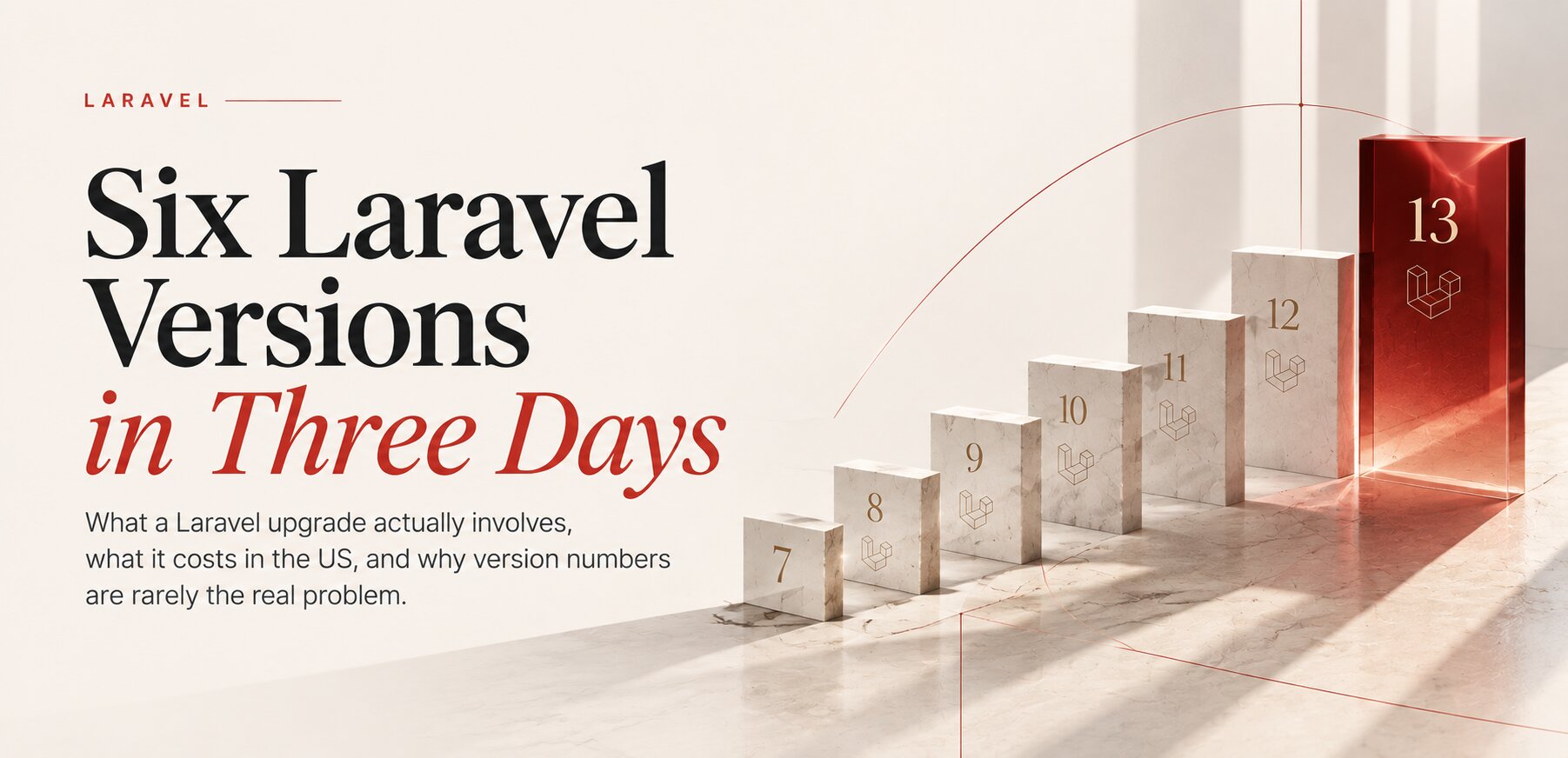
Upgrade: six Laravel versions on a working site. One of our projects that had not been a priority, a trilingual site with its own admin panel and lead system, ran on Laravel 7 and PHP 7.4 and worked every day. We moved it to Laravel 13 and PHP 8.4 in about three days of development, one day of acceptance testing and five minutes of planned downtime. Three lessons from it apply to any takeover. An abandoned forms package sat behind more than 200 form fields in 29 templates; instead of rewriting the admin, the developer wrote a small compatibility helper. The original rollback plan pointed to a version tag that predated several days of unrelated work, so rolling back would have undone that work too; the rollback point was moved to the exact production commit. And caching the routes, a routine speed optimisation, turned every page of the staging copy into a 404, because this site builds its language prefixes from the database; the rule "never cache routes" went into the project's written instructions so that no future developer or AI agent repeats it. The whole story is in Six Laravel Versions in Three Days.
Upgrade: a medical institute's site and store. On the Trichology Institute site we brought an old OpenCart build to 3.0.5.1, the latest release of the OpenCart 3 line, and PHP to 8.3. The institute's Trichocosmetics store had been finished years earlier on PHP 5.6 and never launched. Its design still held up and its structure was sound, so we kept both, moved the store to OpenCart 3.0.5.1 and PHP 8.4 and updated its modules and integrations. Both sites became noticeably faster, and the investment already made in the store could be used instead of thrown away.
Upgrade what the business got right. Rebuild what it has outgrown.
Rebuild: a large custom system on PHP 5.3. One of our clients runs a large custom system written on PHP 5.3, with a big and constantly changing database. Security support for PHP 5.3 ended on 14 August 2014 (php.net). The system still works, but many of its connections run through workarounds added one at a time over the years. An upgrade would have carried every one of them into the new version, so we advised against it and signed a contract for a full rebuild. We are now working through the documentation together with the client's architect, so that the business processes are modelled properly from the start and the new system is shaped around how the company works today, not how it worked when the first version was written.
Why the same old stack also blocks AI projects, and how that changes the upgrade question, is covered in An AI Project Stuck on a Legacy System? If the system you inherited was built with AI tools by the owner or a small team, the decision has its own logic, described in You Built an MVP With AI. Keep It, Fix It or Rebuild It?
HANDOVER
What a proper handover contains
A handover that ends with "here are the passwords" is unfinished. Whether we receive a project or give one back, we expect the same package, and it is the one we hand over ourselves under the contract:
- The code, as a repository with its full history, so the reasons behind changes can be traced.
- Deployment commands: the exact steps that take a commit to production, including database migrations and cache rules.
- Server requirements: the PHP version and extensions, the database version, scheduled tasks, queues, and the names of the environment settings (the names, never the values in a document).
- A rollback procedure: how to return to the previous release, tied to an exact commit and tested on a copy, which is the lesson of the wrong tag above.
- An AGENTS.md file: a short, human-written description of the structure, the commands and the hard rules of the project.
The AGENTS.md file is read by your developers, by another vendor and by AI coding agents alike. Lines from our own files show what belongs in it: never change the address of an existing page without a 301 redirect; never delete code that looks unused before checking the database content, scheduled scripts and integrations; on one project, never cache routes. Why such a file matters, and why short beats long, is explained in Your Codebase Needs a Manual for AI.
Next to the package sits the access inventory from the first week, kept current: every domain, server and account with a note on whose name it is in. A takeover should not create a new dependency, this time on us. When the work with us ends, you get the same package, and the same rule about passwords and accounts applies on the day our engineers leave.
Documentation is the part of a handover that still works after everyone leaves.
AFTER
How the work continues
Most projects move from the audit to website maintenance and support, from $1,000 a month: updates of PHP, the framework and packages on a schedule, daily off-site backups with restore tests, monitoring and small changes in every language, with the documentation updated after each change.
New features and larger changes are estimated and priced before they start. On Laravel and PHP that is Laravel development, at $75 an hour or as a project from $15,000. A product that changes every week fits a dedicated development team, from $8,000 a month, drawn from the pool of vetted people we know personally. Servers, release pipelines, a move to the cloud or an engineer on call outside working hours go to DevOps and cloud work at $50 to $70 an hour.
If the bigger question is what the product should become rather than who holds the keys, a strategic session comes first: two to three hours, prepared in advance, $500, credited toward a project we build. Whatever comes next is built around how your business works, as one solution rather than design, development and hosting sold separately, and the code and deployment stay yours under the contract. All our prices are on the pricing page, and payment is made by bank transfer under the agreement.
FAQ
Frequently asked questions
How do I take over a website from another developer?
Start with access: the domain, the hosting, the code repository with its history, the credentials, the third-party accounts and a backup you have restored. Then audit the code, the infrastructure and the integrations, and only after that decide what to keep, upgrade or rebuild.
What if the previous developer does not respond?
Begin with what the company controls itself, then regain the rest through the registrar, the hosting provider and each service with proof of ownership. Whatever cannot be regained is reconstructed from the server and the code. A cold start takes longer and costs more than a cooperative handover.
How much does a project takeover cost?
Our takeover audit costs from $2,500, and the price is fixed before it starts. It includes collecting the access, a written report, the project documentation and a walkthrough call. Urgent fixes and later work are agreed separately.
Should I rebuild a site I inherited from another agency?
Usually not. Keep the parts that work and run on supported versions, upgrade the parts whose structure still fits the business, and consider a rebuild when the business has outgrown the system or a safe upgrade approaches about 60% of a clean build.
What should a handover from the old developer include?
The code as a repository with history, the deployment commands, the server requirements, a rollback procedure and a short AGENTS.md file with the structure, commands and hard rules, plus a list of every account and in whose name it is.
Do I need to change passwords after the developer leaves?
Yes, on the same day the access moves. Replace every password and key the previous team used, remove their accounts, and in Search Console delete their verification tokens, otherwise a removed owner can verify the site again.
Sources
- PHP: Supported versions
- PHP: Unsupported branches
- Laravel: Release notes and support policy
- ICANN: Transfer Policy
- GitHub Docs: Transferring a repository
- OWASP: Secrets Management Cheat Sheet
- CISA: #StopRansomware Guide
- Google Search Console Help: Manage owners, users and permissions
Your developer gone and nobody sure what you control? Let's look at your project together.
- Share
-

-

-

-

One notification a week with the new PERETZ articles. Nothing else.