IFHRS: Back to Laravel, from WordPress 7 to Laravel 13




Same design, same addresses, six languages and a site that no longer depends on plugins
The International Federation of Hair Research Societies (IFHRS) unites eight societies that study hair biology and hair disorders: American, Australasian, Chinese, European, Korean, Russian, Japanese and Ukrainian. Its website holds the federation's mission, its member societies and leaders, the archive of the World Congress for Hair Research and a newsletter that has come out twice a year since 2020.
We built the first version of that platform on Laravel. Later the site moved to WordPress 7.1 with the Elementor page builder: one language instead of several, and a set of plugins in place of custom code. We told the first part of this story in the IFHRS portfolio case.
When IFHRS came back to us, we did not start a redesign. We returned the site to the stack it was meant to run on, at the newest versions: Laravel 13 on PHP 8.3, with a custom admin panel and no dependency on WordPress plugins. This case is about how we did it without changing a single pixel or a single URL, and what the federation got for it.
THE CLIENT
The client
IFHRS is a federation of federations. Every member society has its own leaders, congresses and history, and the site has to show how all of it fits together: who belongs, who leads, which congresses took place and what comes next. Its readers belong to societies on four continents, and many of them read English as a second language.
The brief for this stage had three lines:
- the site speaks the languages of the member societies, not only English;
- the federation owns a codebase that can grow toward member features, instead of adding plugin after plugin;
- visitors and search engines notice nothing except that the site got faster and gained languages.
STARTING POINT
Where we started
The WordPress site worked. Behind it, though, stood a stack that is typical for page-builder sites:
- WordPress 7.1.4 with Elementor 4.2.4 and Elementor Pro 4.2.3;
- 9 active plugins, three of them premium (Elementor Pro, ACF Pro, Unlimited Elements Premium), plus TablePress, LiteSpeed Cache, UpdraftPlus, a PDF embedder and an image optimiser, and 6 must-use plugins on top;
- 686 MB of uploads, 28 posts and 10 pages;
- 340 to 494 ms on the server before the first byte of every page, with no cache headers sent to the browser.
We measured what one page costs WordPress. On the home page it ran 160 to 210 database queries, loaded about 2,200 PHP files and peaked at 110 to 120 MB of memory, before sending a byte.
The content model was spread across several layers. A congress, for example, was a post with 27 rows of metadata (each ACF field is stored twice, as a value and as a field key), shown through an Elementor Pro theme template of 37 elements stored as 15 KB of JSON. The PDF blocks of that template needed a separate embedder add-on, the photo gallery needed Unlimited Elements. Changing the date of a congress meant knowing which of these layers held it.
WordPress: what one congress page is made of (post 898)

wp_posts        1 row  (title, content, status)
wp_postmeta    27 rows date / _date, place / _place, program / _program,
                       report / _report, abstracts / _abstracts,
                       gallery / _gallery, link / _link, _thumbnail_id,
                       _elementor_data, _elementor_page_assets,
                       _elementor_version, _elementor_pro_version, ...
template 410   37 Elementor elements, 15 KB of JSON:
                 theme-post-title, theme-post-featured-image   (Elementor Pro)
                 bae-pdf-embedder x3                           (PDF add-on)
                 ucaddon_uc_compact_image_theme                (Unlimited Elements)
                 heading x7, button x5, container x9, spacer x3, ...
APPROACH
Convert, not redraw
The usual way out of a page builder is to redraw the design in a new theme and hope it matches. We took the opposite route. We saved the HTML of every page exactly as WordPress served it and converted it into Blade views with a script. The Elementor markup and its CSS stayed as they were. Only the words moved out.
We did not redraw the site. We moved what was already published.
Every text went into a small JSON file per page and per language, about 1,130 strings per language across 40 files. A view asks one helper for each string, so an editor or a translator changes a word without touching a template.
The first version had one view per page. Once it was stable, we turned repeating content into records. Twelve newsletters, sixteen congresses with 544 gallery photos and four home banners now live as JSON records, and one template per kind builds both the page and its card in the lists. Sixteen hand-made congress pages became one event template. Here is the same congress in Laravel:
{
  "slug": "15th-world-congress-for-hair-research",
  "status": "upcoming",
  "sort": "2028-05-23",
  "link": "https://hair2028.org",
  "image": { "src": "/wp-content/uploads/2026/09/imaxe_01_mov-DqpH0t_p-scaled.jpg", "width": 2560, "height": 1696 },
  "pdf": { "program": "", "report": "", "abstracts": "" },
  "gallery": []
}
The template reads that record directly. A section with no file in it disappears from the page together with its button in the page menu:
@php($evShow = fn ($sec) => $sec === 'gallery'
    ? ! empty($rec['gallery'])
    : ! empty($rec['pdf'][$sec]))

@if($evShow('program'))
  <h2 class="elementor-heading-title">{!! tx('ev.program', 'lists') !!}</h2>
  <iframe src="https://docs.google.com/gview?embedded=true&url={{ Records::abs($rec['pdf']['program']) }}"></iframe>
@endif
The class names are still Elementor's, so the page looks exactly as before. Elementor itself is no longer there: no plugin builds this HTML at request time.
PARITY
Parity as proof
A conversion like this is only as good as its proof. Before every refactor we saved the HTML of all 234 URLs, and after it a script compared the new output byte for byte. A page either matched exactly or the script printed the first place where it differed.
The last full run, after the admin panel was finished: 228 of 234 pages identical to the byte. The other six are one deliberate change, corrected picture descriptions on the 16th congress page in its six languages.
This made bold refactoring cheap. Folding sixteen congress pages into one template, or moving the newsletters into records, took one command to verify: if no page changed, no visitor would see a difference.
LANGUAGES
Six languages
The site now speaks English, Chinese, Japanese, Korean, Russian and Ukrainian: 39 pages in each language, 234 addresses in the sitemap. English keeps its old URLs; the other languages add a prefix (/zh/, /ja/, /ko/, /ru/, /uk/). The routes are built from the list of pages and languages, so a new page appears in all six at once:
foreach (array_keys(config('ifhrs.locales')) as $loc) {
    $prefix = $loc === $default ? '' : $loc;
    Route::prefix($prefix)->group(function () use ($pages, $loc) {
        foreach ($pages as $key) {
            $path = $key === 'home' ? '/' : '/'.$key;
            Route::get($path, fn () => app(PageController::class)->show($loc, $key))
                ->name("page.$loc.$key");
        }
    });
}
A few details made the Asian versions read like native pages rather than translated ones:
- line breaking follows the script: strict rules for Chinese and Japanese, keep-all for Korean, so a word or a closing bracket never lands alone at the start of a line;
- dates follow local order, with the year before the month in Chinese, Japanese and Korean;
- every page carries hreflang links to its five siblings, so search engines show each reader their own language.
html.lang-zh, html.lang-ja { line-break: strict; }
html.lang-ko { word-break: keep-all; }
Two rules protect the pages in every language. A missing translation falls back to English string by string, never page by page, so a half-finished page still shows every word. And every translated string is checked against the English one for the same tags, so a translation cannot break the markup around it.
public function get(string $key, ?string $page = null): string
{
    $v = $this->load($this->locale, $file)[$key] ?? null;
    if ($v === null || $v === '') {
        $v = $this->load('en', $file)[$key] ?? '';   // English, one string at a time
    }
    return $this->tokens($v);
}


LESS CODE
Less code, fewer moving parts
The numbers below were taken on the same server on 16 November 2026, with WordPress still running on its own address next to the new site.
| WordPress site | Laravel site | |
|---|---|---|
| Code behind the site | 7,572 PHP files, about 2 million lines, 330 MB (core, plugins, theme) | Laravel framework: 6,018 PHP files, about 765,000 lines, 48 MB; our own code: about 2,200 lines |
| Biggest single dependency | Elementor: 96 MB | none |
| Plugins | 9 active + 6 must-use | 0 |
| Database queries per page | 160 to 210 | 0 |
| PHP files loaded per page | about 2,200 | about 520 |
| Memory per page | 110 to 120 MB | 22 MB |
Zero database queries per page: the site reads a few small files.
The public site does not touch the database at all. Pages, texts and records are JSON files, read once and kept in memory for the request. The database holds only what the admin panel needs: users and the history of changes.
Less code is not a goal in itself. It matters because every one of those two million lines is something to update, patch and keep compatible. Now the federation's site depends on one framework with a public release schedule and on code we wrote and documented ourselves.
ADMIN
An admin for everyone
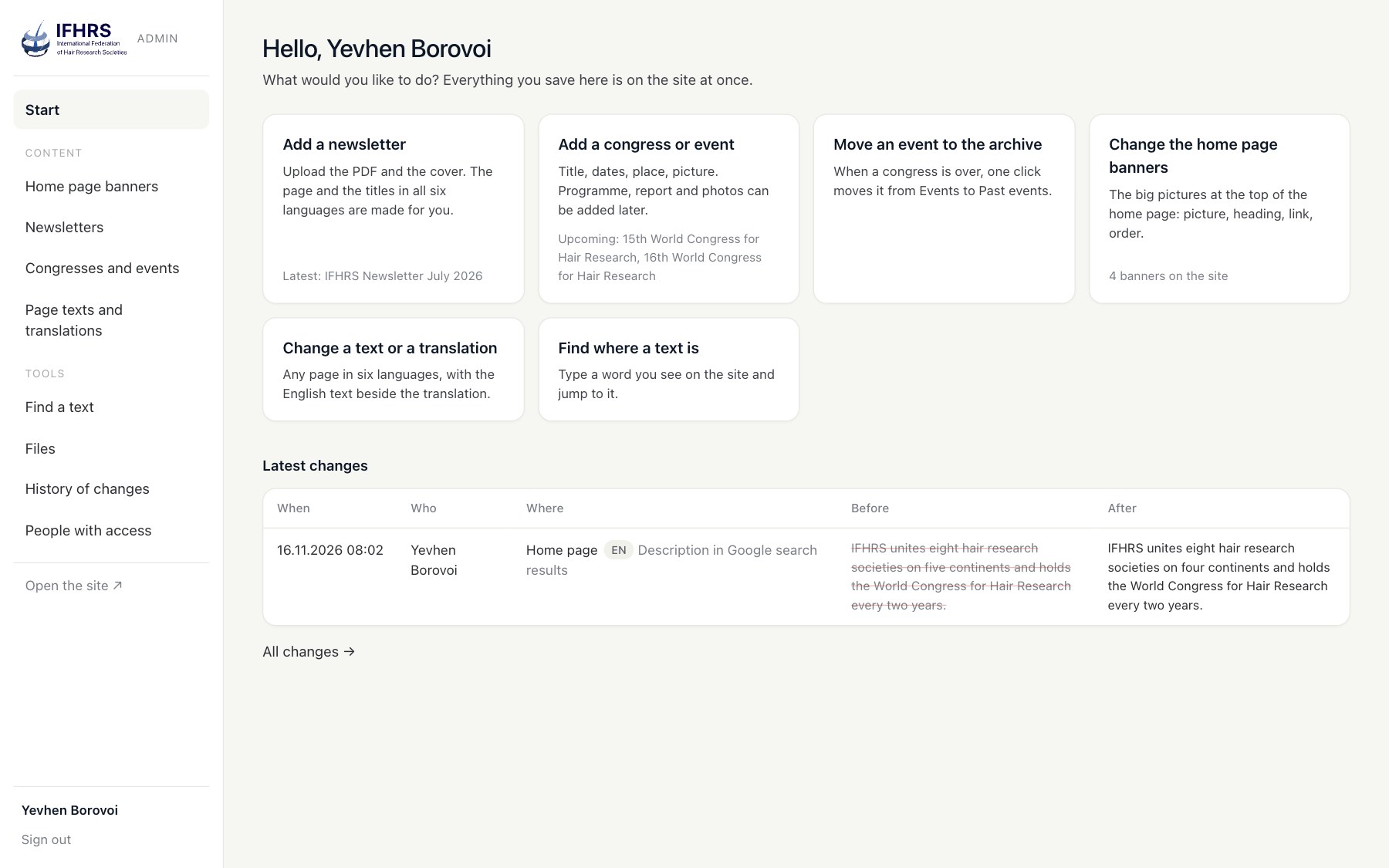
The brief for the admin panel was one sentence: anyone should understand it. So it speaks English only and talks about pages and pictures, never about keys and fields. The start page lists the jobs people actually come for.
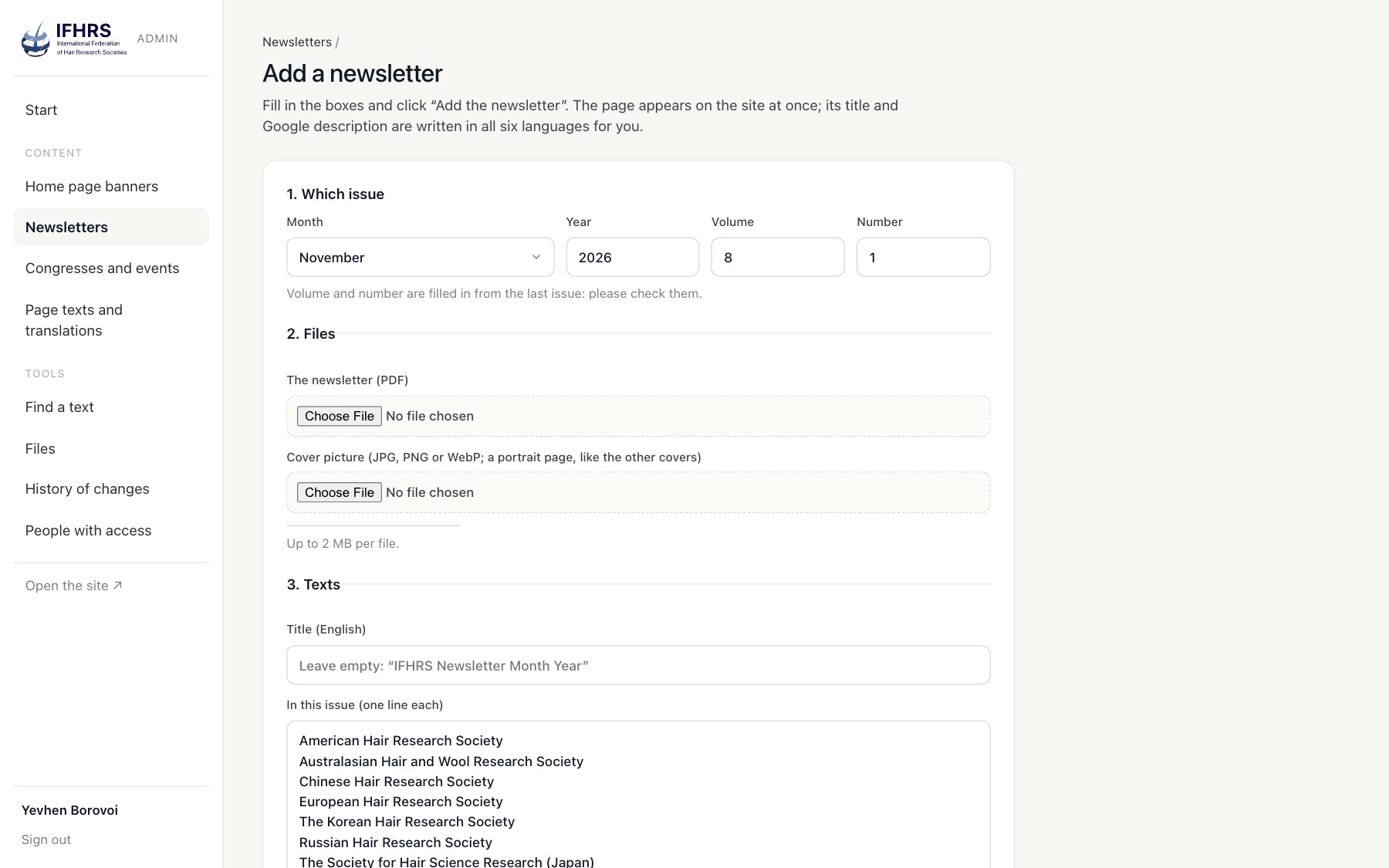
Newsletters. A new issue starts with its volume and number already filled in. Its title, description and heading appear in all six languages from patterns, and lines repeated from earlier issues arrive translated.
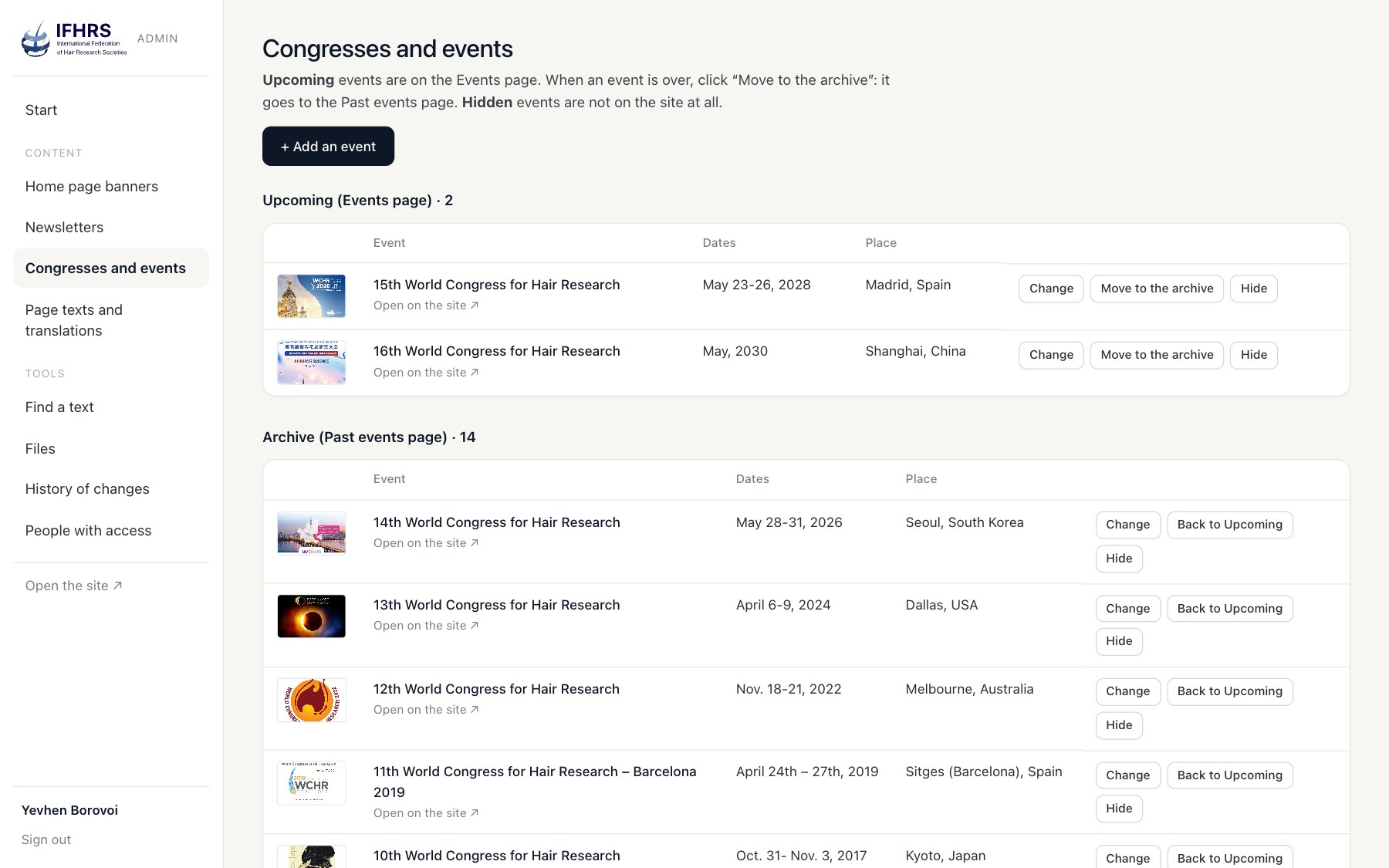
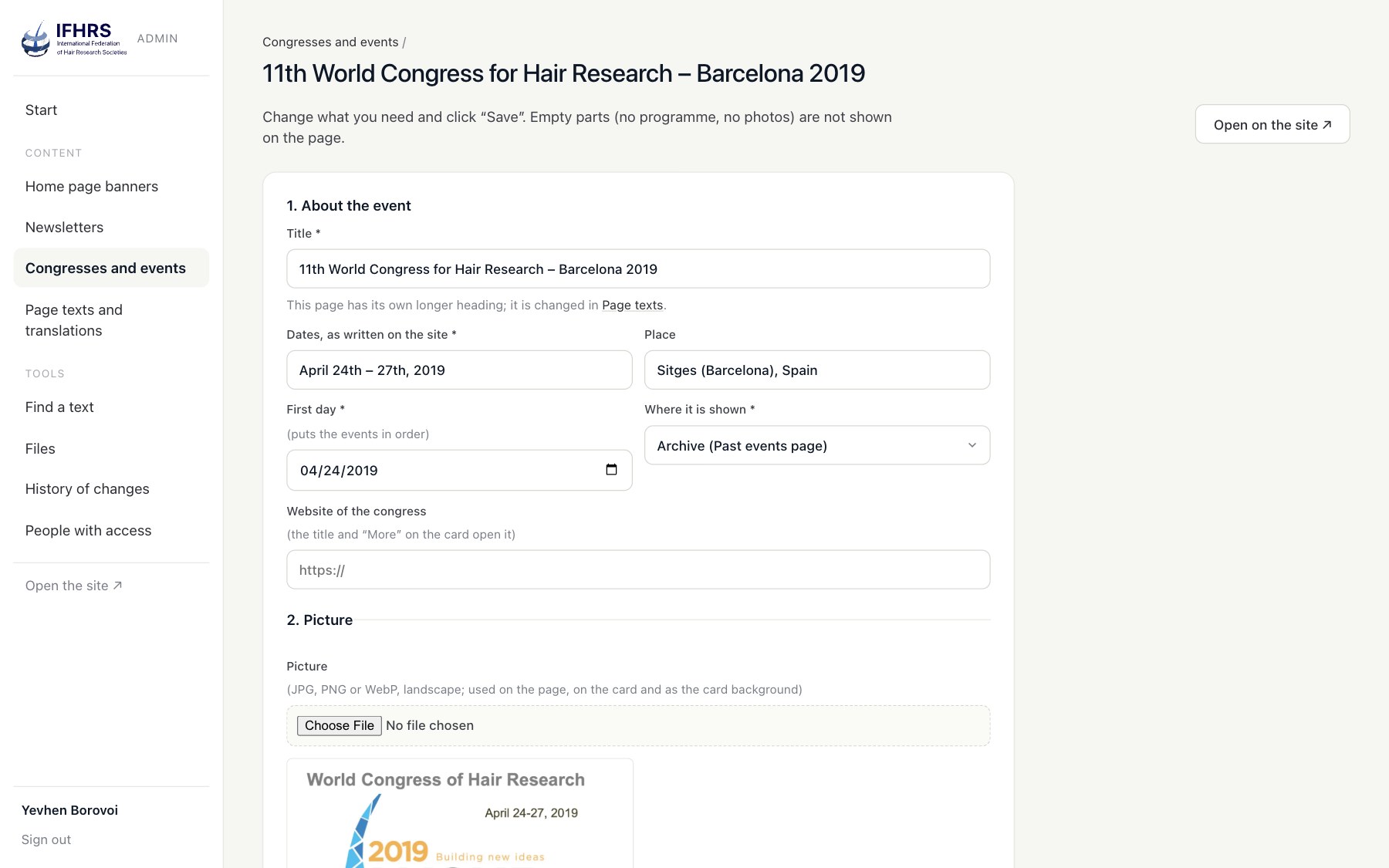
Congresses and events. Upcoming, past and hidden, in three groups. One click moves a congress to the archive. The programme, report, abstracts and photos are uploads, and an empty section disappears from the public page.
/** Move between Upcoming, Archive and Hidden from the list. */
public function move(Request $request, string $slug)
{
    $st = (string) $request->input('status');
    abort_unless(in_array($st, self::STATUSES, true), 422);
    $list = Records::all('events');
    foreach ($list as &$x) {
        if ($x['slug'] === $slug) {
            $x['status'] = $st;
        }
    }
    unset($x);
    Records::save('events', $list, $request->user()->id);   // one history row: old and new list
    return back()->with('ok', __('admin.ev_moved_'.$st));
}
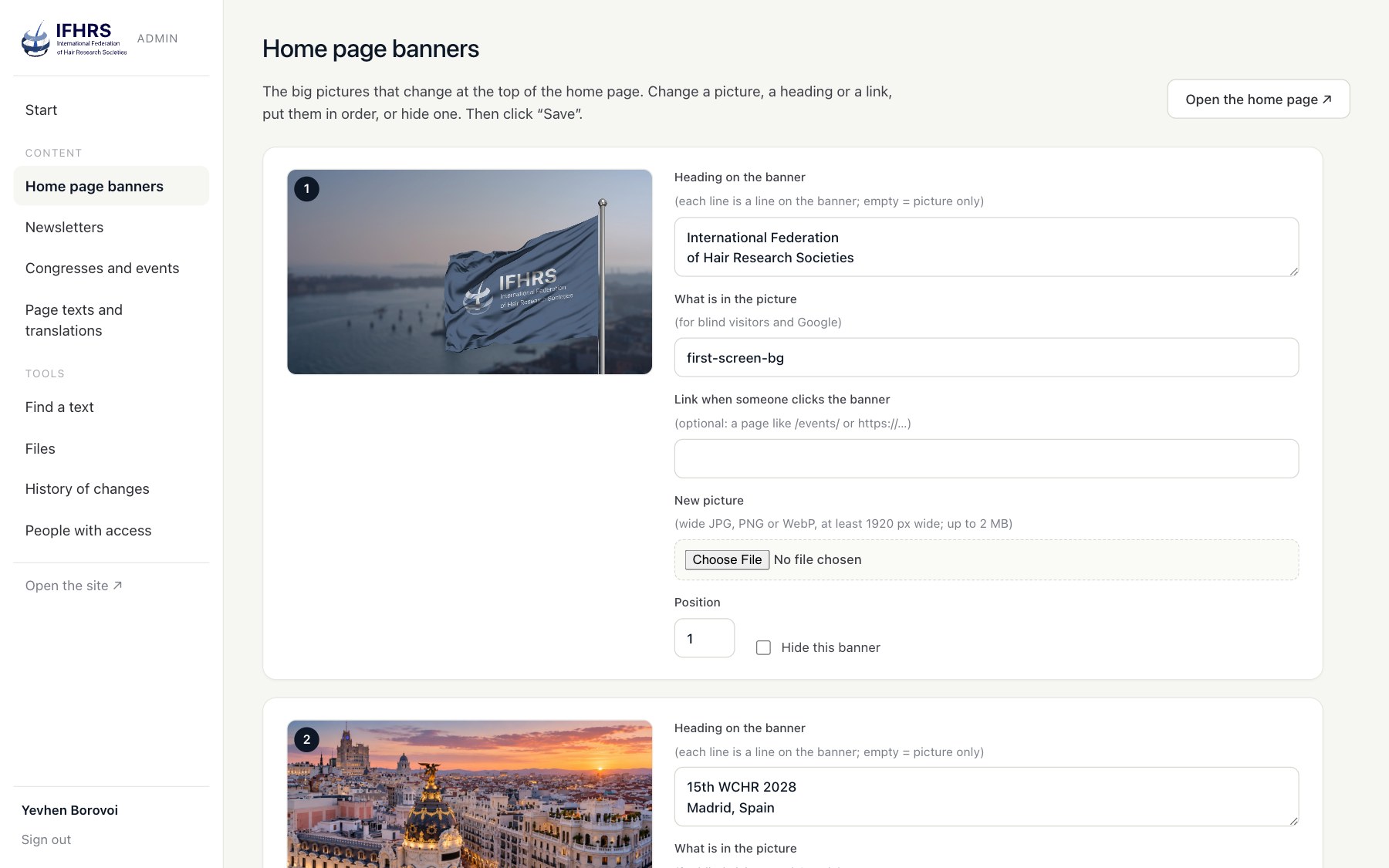
Home banners. Title lines, picture and its description, link, order, on or off.
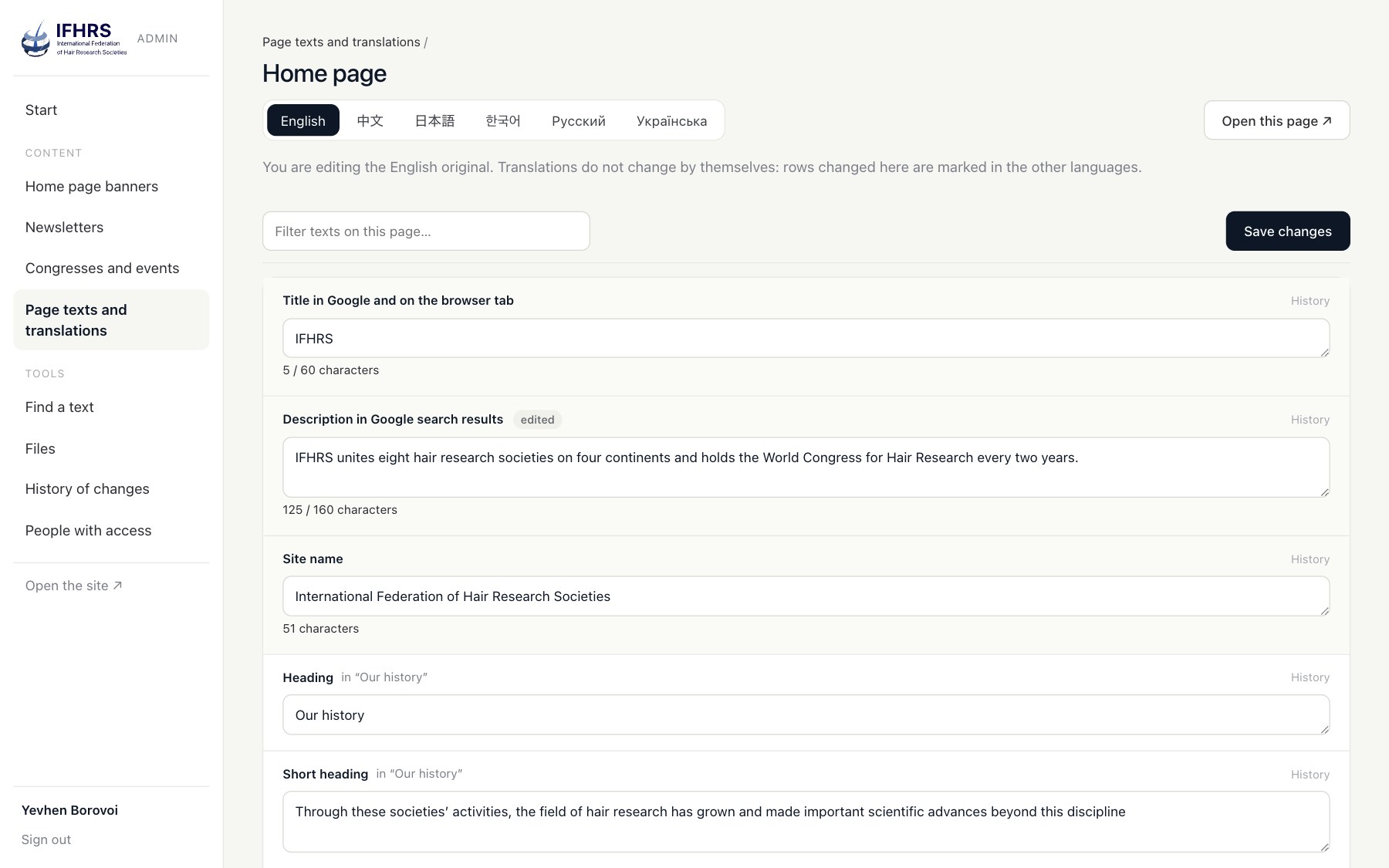
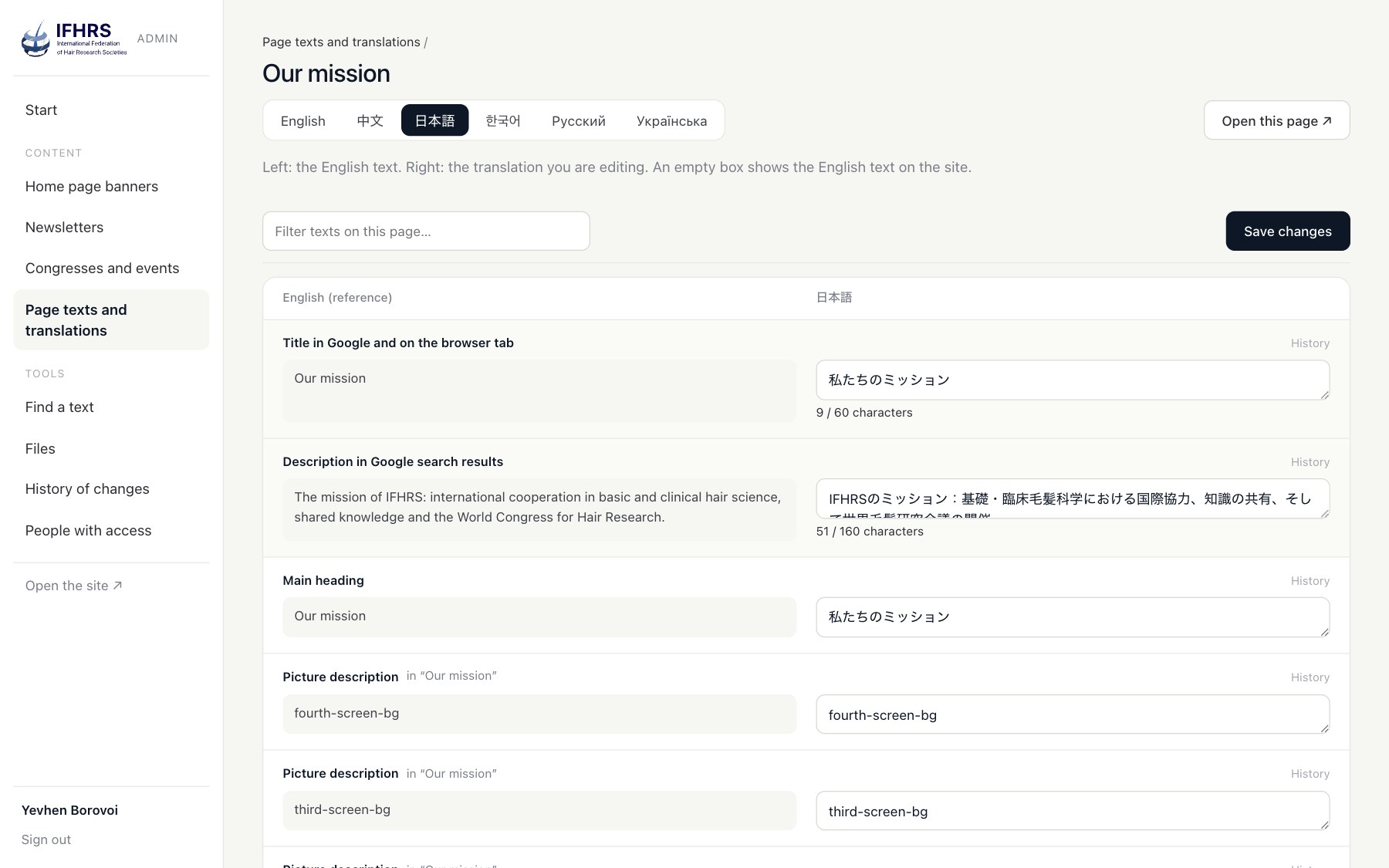
Page texts. Every text has a plain name worked out from the template (Main heading, Heading, Button, Menu item, Picture description, Table cell) and the block it sits in. Translations sit in tabs beside the English original, technical strings are folded away, and button texts are edited as words, so nobody can break the button around them.
Safety. Every save goes into a history with the old and the new value, and any earlier version can be put back with one click. A save that changes nothing writes nothing. New people set their own password through a one-time link, and the admin sets its cookies only under /admin, so public pages stay free of cookies.
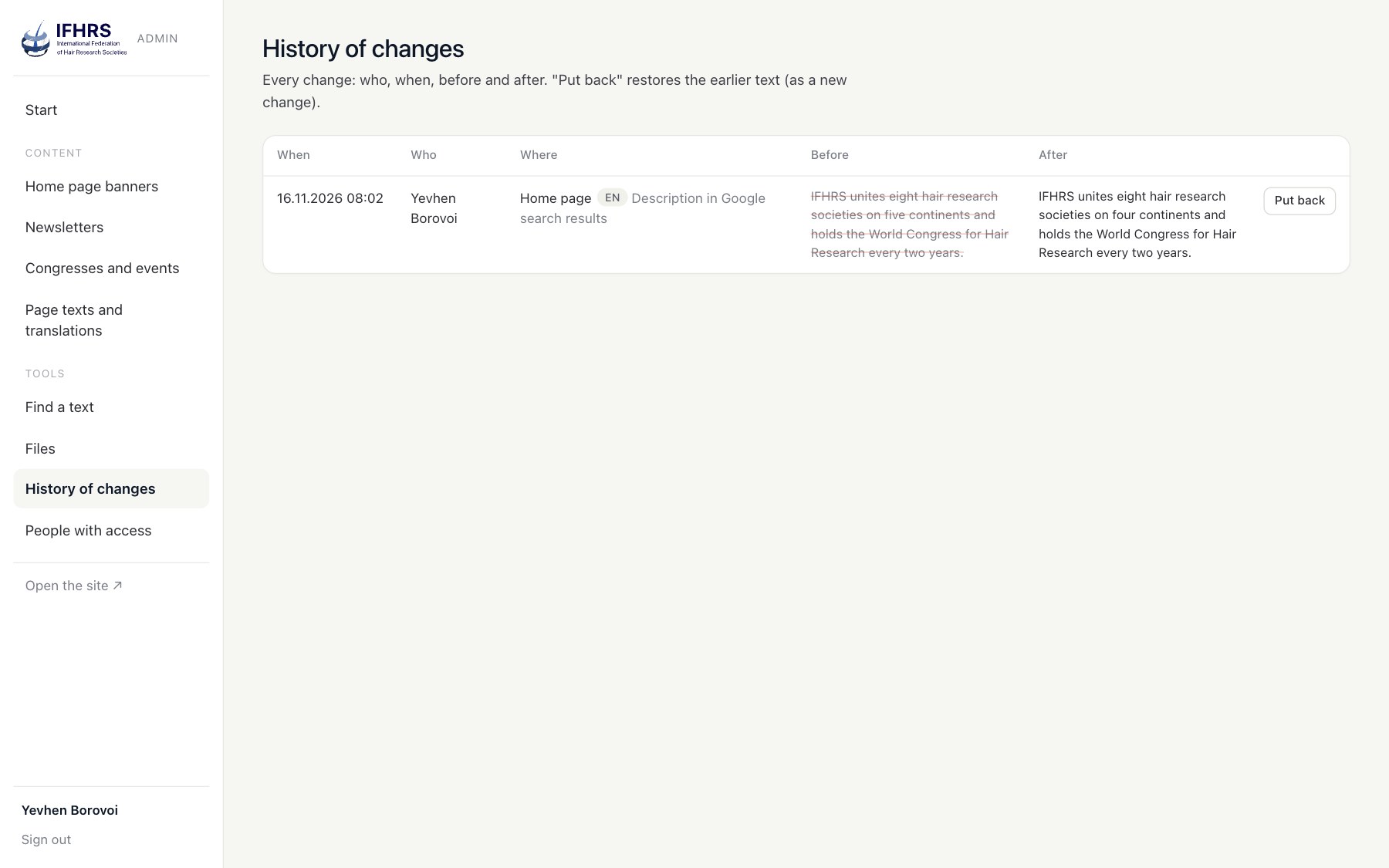
Anyone who can write an email can now run the federation's site.
CUTOVER
A switch without downtime
The site lives on shared hosting, so there was no second server to switch to.
- Preview on the real address. A rule in .htaccess sent requests that carried a preview cookie to the new app, while everyone else still got WordPress. We checked the new site on ifhrs.com itself before anyone else saw it.
- The switch. WordPress moved to old.ifhrs.com: the same files through a link, the same database, a small must-use plugin that rewrites the host, closed to search engines and with analytics off. The domain root now serves Laravel.
- Two PHP versions. The hosting runs PHP 8.3 for the web and 8.4 on the command line, so Composer is pinned to the web version and no package can install code the live server cannot run.
- Every old address works. Pages kept their URLs, and a redirect map catches what WordPress used to answer: the .html addresses of an earlier static version, WordPress sitemaps and feeds, category and tag archives, and the WordPress search address.
- Rollback in minutes. WordPress is intact on its own address, so going back means pointing the root at it again, not restoring a backup.
RESULTS
Results
Server time to the first byte, median of five requests made on the server itself, 16 November 2026:
| Page | WordPress | Laravel |
|---|---|---|
| Home | 494 ms | 58 ms |
| Mission | 372 ms | 54 ms |
| Members | 340 ms | 54 ms |
| Events | 401 ms | 74 ms |
| Newsletters | 484 ms | 56 ms |
| 15th World Congress | 410 ms | 55 ms |
| Newsletter, July 2026 | 384 ms | 53 ms |
Five to nine times faster on every page we measured, with no page cache in front. The HTML itself is 8 to 16 percent smaller.
One number did not change yet, and we say so openly: the weight in the browser. The new pages still load the same Elementor styles and scripts as before (the home page is about 5 MB in 75 requests), because this stage promised the same look to the pixel. That is the next stage.
In short: one language became six, 39 addresses became 234, the plugins went from fifteen to none, and not one URL changed.
NEXT
What comes next
- Lighter pages: our own CSS and scripts in place of Elementor's, page by page, checked against screenshots instead of bytes.
- Forms in Laravel: the contact forms move from WordPress into the new app, and the old copy can be switched off for good.
- A member area for the societies, which was one of the reasons to leave the page builder in the first place.
This is the kind of work we describe on our website modernization and Laravel development pages: keep what works, move it to a stack you own, and prove at every step that nothing broke. What usually goes wrong in such moves is in the migration checklist most agencies skip.
The code side of this move, from the HTML-to-Blade converter to the cutover on shared hosting, is in Elementor to Laravel Blade: converting a page builder site with a script.
FAQ
Frequently asked questions
Can a WordPress site move to Laravel without a redesign?
Yes. We converted the published HTML of every page into Blade views and moved the texts into language files. The design, the markup and the URLs stayed the same, and a byte-by-byte comparison of all pages proved it.
Will Google see the move as a new site?
Not if the addresses and the content stay the same. Every IFHRS page kept its URL, old WordPress addresses redirect with a 301, and the sitemap now lists all language versions with hreflang links.
Do editors lose the visual editor when they leave Elementor?
They lose the page builder and gain a panel built for the site's own content: newsletters, congresses, banners and texts in plain words, with a full history of changes. For a federation that publishes on a schedule, that is easier than dragging blocks.
What happens to the premium plugin licences?
The new site needs none of them. Elementor Pro, ACF Pro and Unlimited Elements stay only with the old WordPress copy, which can be switched off once the forms have moved.
Is Laravel faster than WordPress?
In this project the server answered five to nine times faster, mostly because each page no longer runs 160 to 210 database queries through a stack of plugins. Speed in the browser depends on the front end, which is our next step.
Sources
- Laravel 13 release notes
- Laravel localization
- Google Search Central: tell Google about localized versions of your page
- MDN: line-break
Your site runs on plugins nobody fully controls? Let's look at what it would take to own it.
- Share
-

-

-

-

One notification a week with the new PERETZ articles. Nothing else.
Related Reading
-
23. 08. 2026
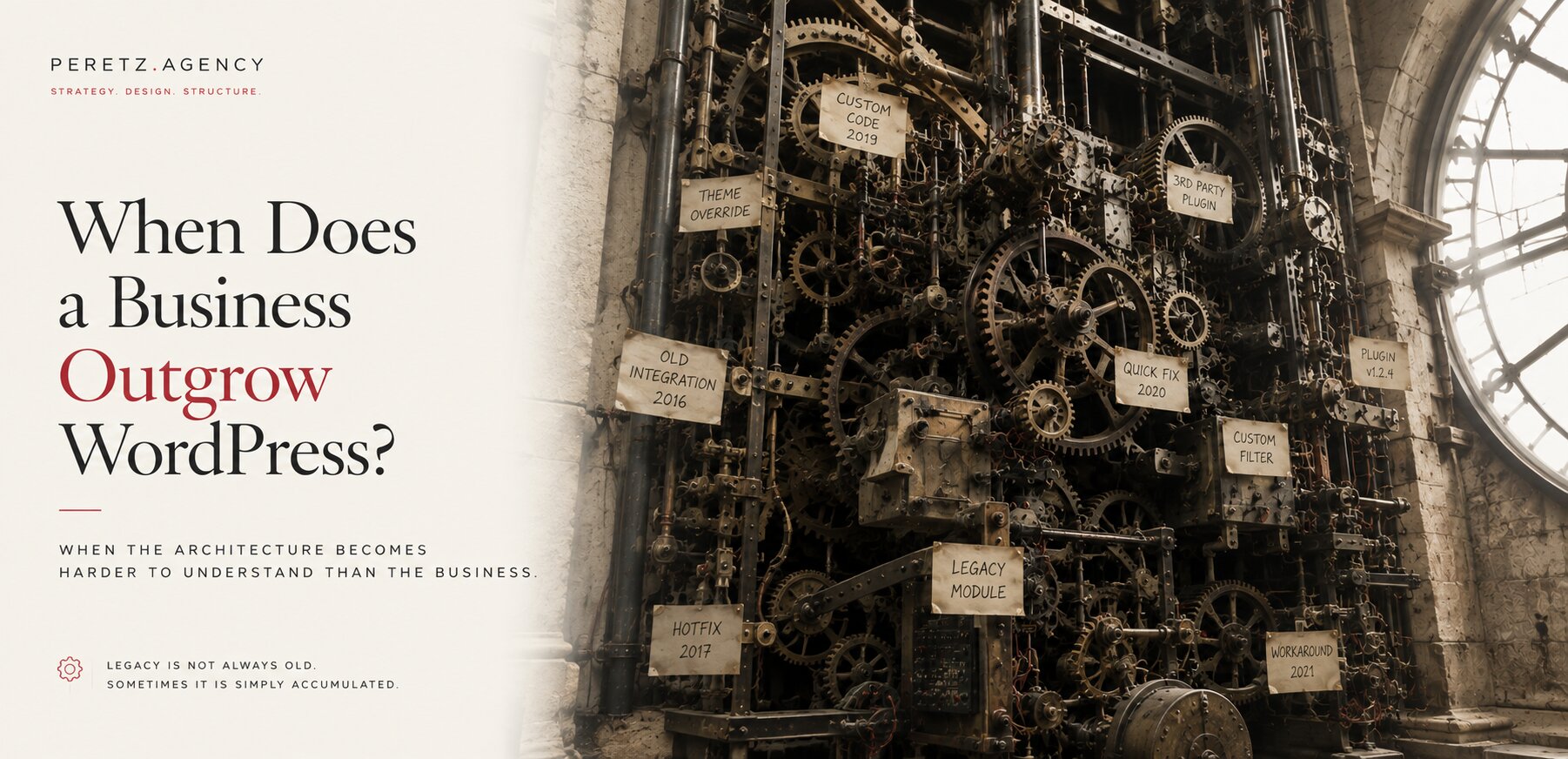
When Does a Business Outgrow WordPress?

-
06. 11. 2026

Laravel or WordPress for a Business Website: How to Choose in 2026
-
27. 08. 2026
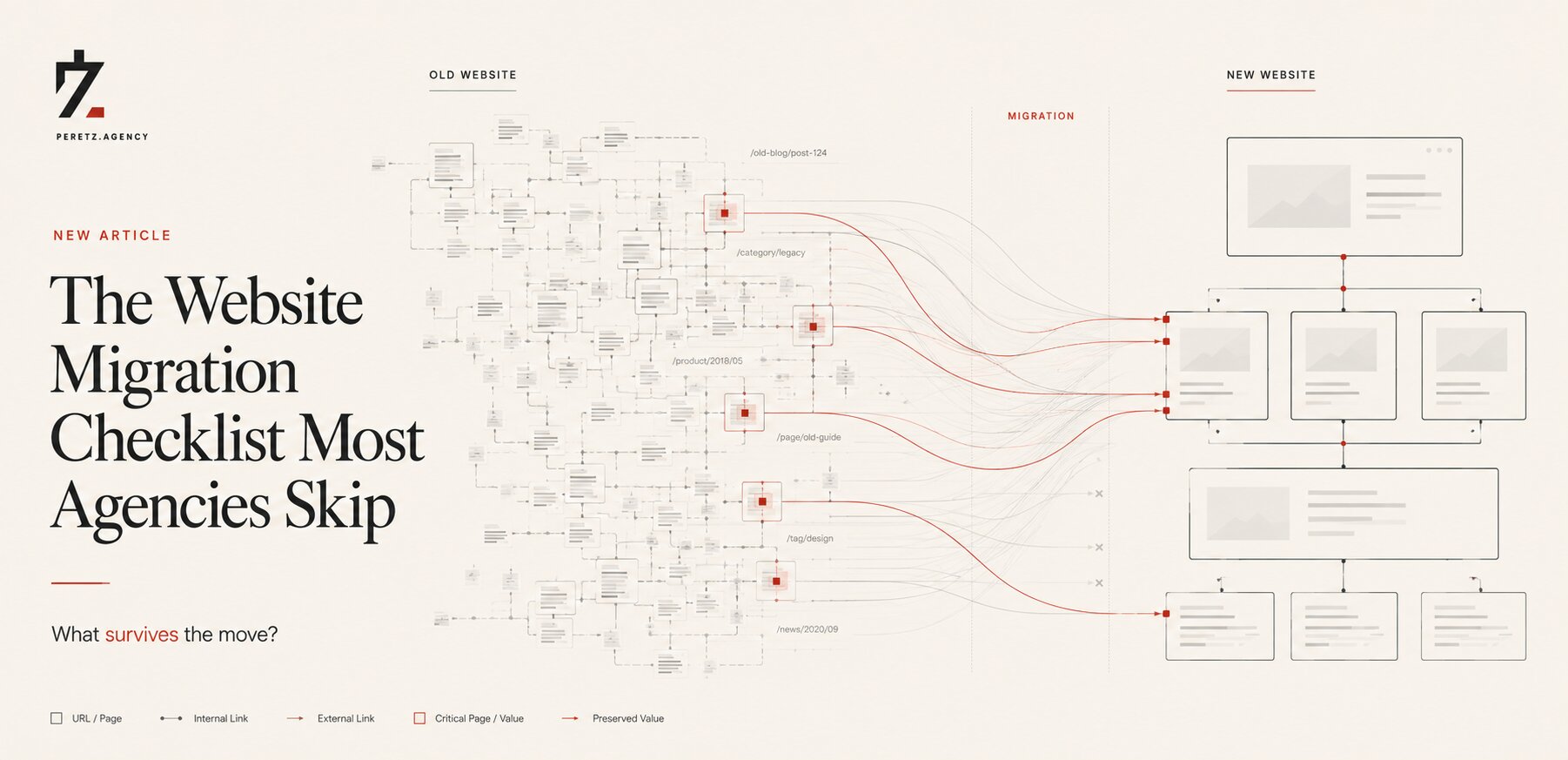
The Website Migration Checklist Most Agencies Skip
-
15. 10. 2026
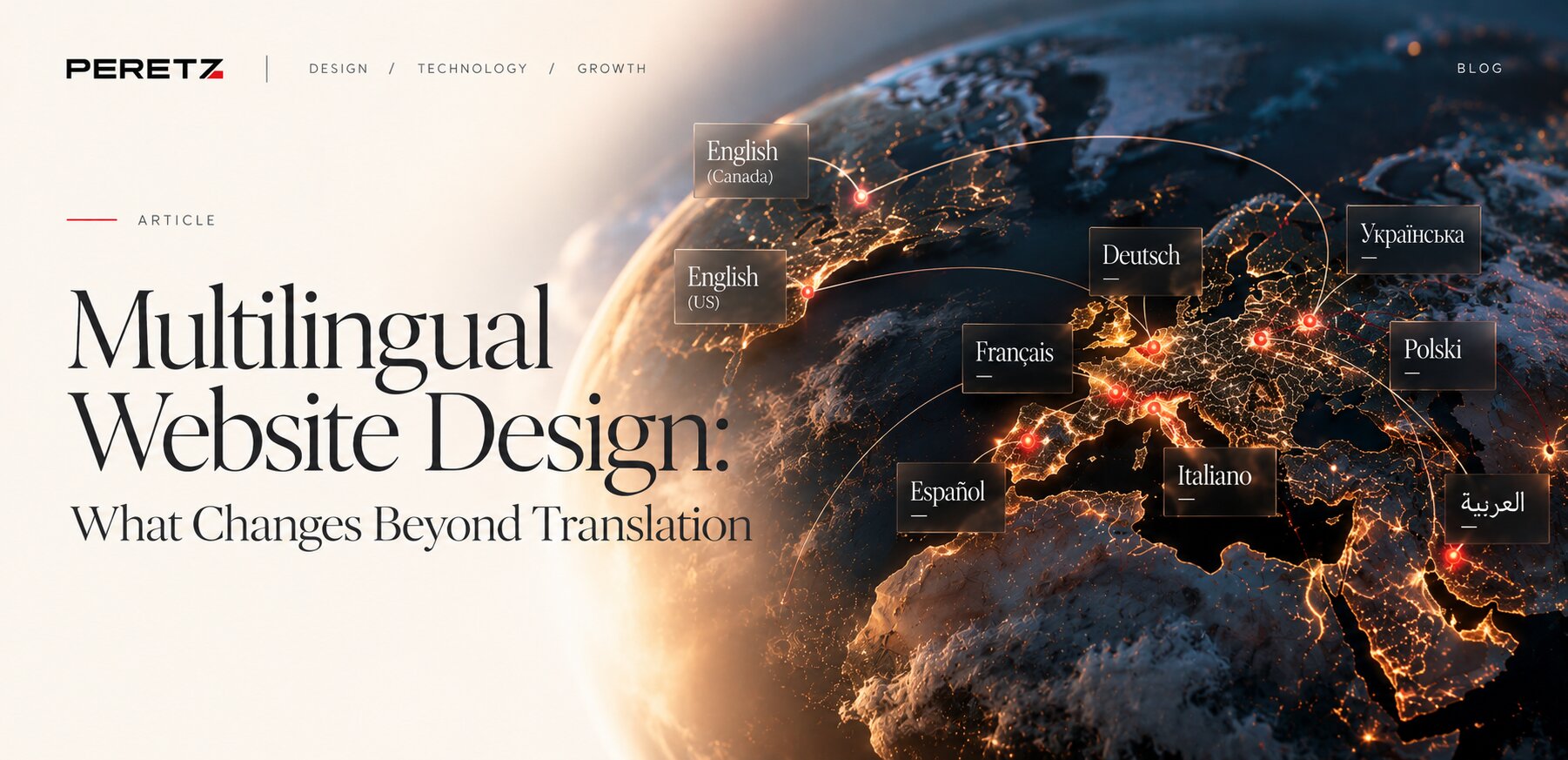
Multilingual Website Design: What Changes Beyond Translation
-
16. 11. 2026
Elementor to Laravel Blade: Converting a Page Builder Site With a Script