Elementor to Laravel Blade: Converting a Page Builder Site With a Script




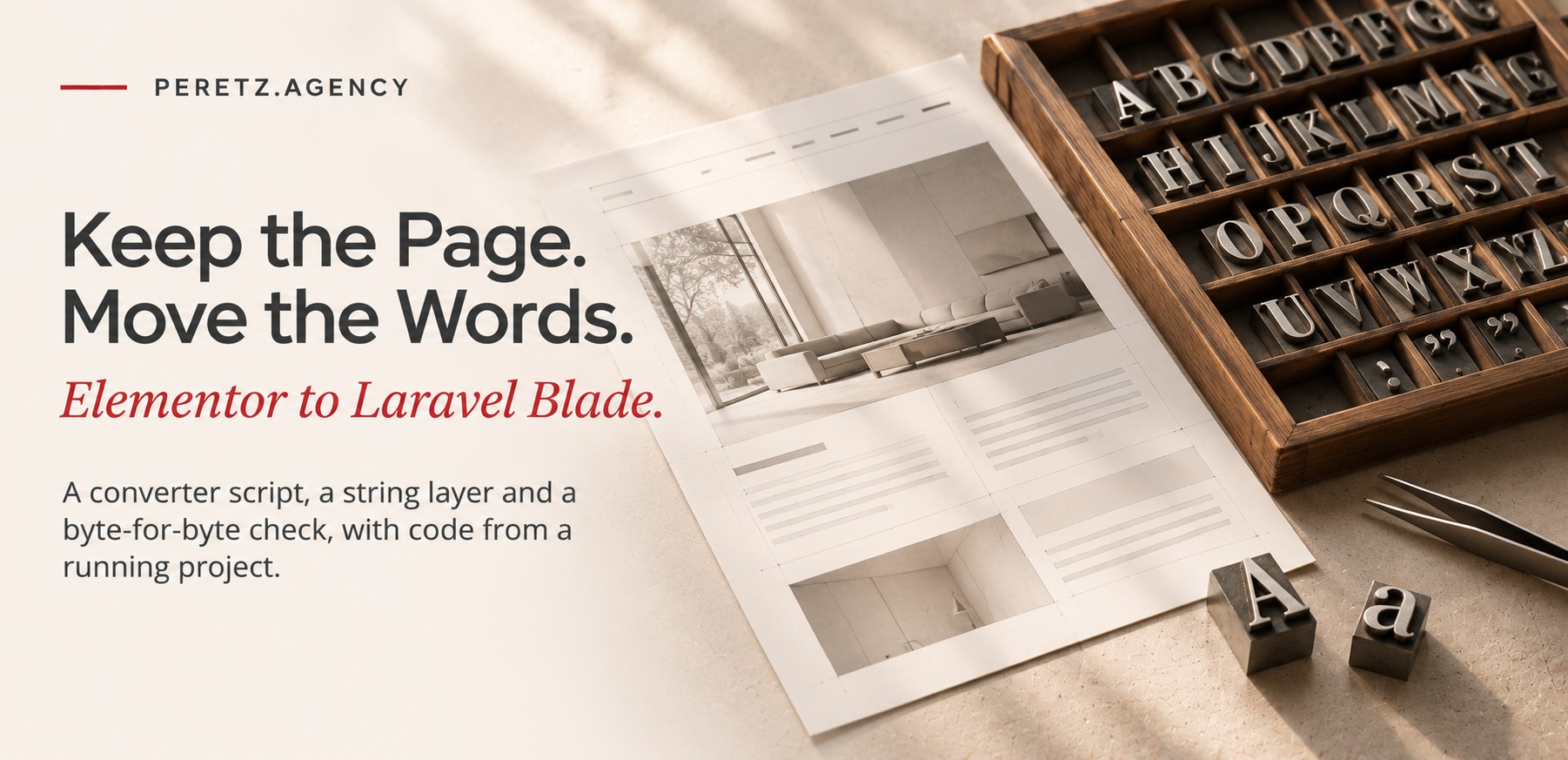
A converter, a string layer and a cutover on shared hosting, with code from a running project
This is the developer side of a project we described for clients in the IFHRS case study. The International Federation of Hair Research Societies had a WordPress 7.1 site built with Elementor Pro, ACF Pro and Unlimited Elements. It needed the site in the six languages of its member societies and room for a member area later. We moved it to Laravel 13.42 on PHP 8.3 with about 2,200 lines of our own PHP.
Every snippet below comes from that project. None of it was written for the article.
THE TASK
What had to stay the same
The brief fit in one sentence: visitors and search engines should notice nothing except a faster site in more languages. In practice that meant four fixed points.
- The same design to the pixel, including Elementor's own markup and CSS.
- The same 39 addresses, trailing slashes included, because that is how Google had indexed them.
- The same shared hosting: one document root, Apache, no second server and no deploy pipeline.
- A way back in minutes, with no restore from a backup.
Anyone who has left a page builder knows the usual route: rebuild the design in a new theme, then chase visual differences for weeks. Fixed points like these rule that route out. A rebuilt theme is never the same to the pixel, and you only find out where it differs once real people start looking.
THE SPEC
Published HTML as the spec
We started from the only version of the design that is guaranteed to be right: what WordPress actually sends to an anonymous visitor. We saved the HTML of every page as served and treated those files as the specification.
The saved files did two jobs. They were the input of the converter, and they were the fixture every later test compared against. Elementor markup is verbose, but it is deterministic, and its class names, wrappers and inline settings are exactly what its CSS expects. Keeping them meant keeping the look for free.
Do not redraw a page builder site. Move what it already publishes.
What had to change was where the words live. In WordPress they sit inside Elementor's JSON tree in the database, mixed with layout settings. In Laravel they had to become strings a translator can edit without touching markup.
CONVERTER
Text out, tokens in
The converter is a Python script on Beautiful Soup. It walks each saved page and replaces visible text with calls to a Blade helper, tx(). The interesting decision is what counts as one string.
A translator should see a whole sentence with its link and its bold words, not three fragments. So the script works in units: an element whose descendants are only inline tags and text becomes one string, inline tags included.
INLINE = {"a", "span", "strong", "b", "em", "i", "br", "sup", "sub", "small", "u", "mark", "abbr", "time", "code", "wbr"}

def is_unit(self, el):
    has_text = False
    for d in el.descendants:
        if isinstance(d, Comment):
            continue
        if isinstance(d, NavigableString):
            if d.strip():
                has_text = True
        elif isinstance(d, Tag) and d.name not in INLINE:
            return False
    return has_text
The walk itself is short. Bare text nodes become a token, units are cleared and refilled with one token, everything else is walked deeper. Scripts, styles, SVG, iframes and form fields are skipped.
def walk(self, el):
    for c in list(el.children):
        if isinstance(c, NavigableString):
            t = c.strip(WS)
            if t and not LITERAL.match(t):
                c.replace_with(NavigableString("{!! tx('%s') !!}" % self.key(t)))
            continue
        if self.is_unit(c):            # only inline tags and text inside
            inner = "".join(str(x) for x in c.contents).strip(WS)
            c.clear()
            c.append(NavigableString("{!! tx('%s') !!}" % self.key(inner)))
        else:
            self.walk(c)
Three smaller rules keep the output clean:
- Text in attributes that people read (
alt,title,aria-label,placeholder) gets the escaped form,{{ tx('...') }}. - Keys are short and per page (
p.1,p.2and so on). The key function looks the value up first, so a sentence that repeats on a page reuses its key and is translated once. - Strings with nothing to translate (numbers, dates written with digits, separators) match a
LITERALpattern and stay in the markup.
The result was one Blade view per page and one JSON file of strings per page and language: about 1,130 strings per language across 40 files.
LINKS
Two kinds of internal links
Internal links change with the language, so no URL can stay hard-coded. The converter rewrites every link that points at a known page, and it writes it in one of two forms depending on where it sits.
if k:
    return ("[[url:%s]]" % k if in_text else "{{ lurl('%s') }}" % k) + frag
return path + frag
In the template, an href becomes a Blade call, {{ lurl('mission') }}. Inside a translatable string it becomes a token, [[url:mission]], resolved for the current locale on output. A translator never edits a URL, and moving a page never means touching six translations. Links to uploads and theme assets stay as plain paths, and links to other sites stay as they are.
The URL helper keeps the WordPress habit of a trailing slash on every page:
public static function url(string $page, ?string $locale = null): string
{
    $locale ??= app(self::class)->locale;
    $path = $page === 'home' ? '' : $page;
    $prefix = $locale === config('ifhrs.default_locale') ? '' : $locale;
    $u = '/'.trim($prefix.'/'.$path, '/');
    return $u === '/' ? $u : $u.'/';     // /mission/, /uk/mission/, /uk/
}
Everything WordPress used to answer gets a 301: the .html addresses of an older static version, wp-sitemap.xml and its children, feeds, category and tag archives, and /?s= for search. The new sitemap lists 234 addresses, 39 pages in six languages, with hreflang links between them.
BLADE TRAPS
What Blade tries to compile
This is the part most likely to bite anyone trying the same thing. Elementor output is full of text that Blade reads as its own syntax. Inline @media and @keyframes rules become directives. JSON in data-settings attributes can contain {{, which Blade takes for an echo. A view that compiled yesterday breaks when an editor adds an animation.
The fix is to escape everything except the converter's own tokens before the view is written. Blade's documented escapes do the work: @{{ prints braces as they are, and @@ prints a literal @ before a word.
TOKEN = re.compile(r"(\{!! tx\('[^']+'\) !!\}|\{\{ tx\('[^']+'\) \}\}|\{\{ lurl\('[^']+'\) \}\})")

def blade_safe(html):
    out = []
    for part in TOKEN.split(html):
        if TOKEN.fullmatch(part or ""):
            out.append(part)          # our own tx() / lurl() calls
        else:
            part = part.replace("{{", "@{{").replace("{!!", "@{!!")
            part = re.sub(r"(?<![\w@])@(?=[a-zA-Z])", "@@", part)
            out.append(part)
    return "".join(out)
The negative lookbehind matters. Without it the script would double the @ inside an e-mail address, which Blade leaves alone anyway, and the page would show name@@domain.
STRINGS
A string layer, not lang files
Laravel's __() and lang files are built for interface strings such as button labels and validation messages. Here the strings are page-sized HTML fragments, and a page may be translated only in part. So the views call a small helper backed by one class that reads resources/content/<locale>/<page>.json.
Two rules carry the whole layer. A missing or empty string falls back to English string by string, never page by page, so a half-translated page still shows every word and nothing 404s because a language is unfinished. And the [[url:...]] tokens are resolved on output for the current locale.
Because strings are HTML, a careless translation can drop a closing tag and break the layout around it. Every translated string is compared with the English one by its shape, the sorted list of its tags and link tokens:
public static function shape(string $html): array
{
    preg_match_all('/<\/?([a-z][a-z0-9]*)\b[^>]*>|\[\[[^\]]+\]\]/i', $html, $m, PREG_SET_ORDER);
    $out = [];
    foreach ($m as $x) {
        if (str_starts_with($x[0], '[[')) {
            $out[] = preg_replace('/\s+/', '', $x[0]);       // [[url:mission]]
        } else {
            $out[] = (str_starts_with($x[0], '</') ? '/' : '').strtolower($x[1]);
        }
    }
    sort($out);
    return $out;
}
If the shapes differ, the admin panel does not save that one string. It marks the field and asks to keep every tag and link of the English version, while the rest of the form saves as usual. Sorting makes the check tolerant of word order, which differs between English and Japanese, and strict about what matters for the markup.
PARITY
A diff, not a screenshot
A conversion is only as good as its proof, and "looks the same" is not proof. Before every refactor we rendered all 234 URLs and saved the HTML. After it, a script fetched the same URLs again and compared them byte for byte, printing the first place where two versions parted.
def one(u):
    a = open(f'{D}/snap_before/{fname(u)}').read()
    b = get(u)                                  # the same URL from the new build
    if a == b:
        return u, 'same', ''
    i = 0
    n = min(len(a), len(b))
    while i < n and a[i] == b[i]: i += 1        # first differing character
    j = 0
    while j < n - i and a[-1-j] == b[-1-j]: j += 1
    return u, 'diff', f'A:{a[max(0,i-100):len(a)-j][:400]!r}\n B:{b[max(0,i-100):len(b)-j][:400]!r}'
It is crude, and it is what a migration needs. It made bold refactors cheap. Folding sixteen hand-made congress views into one template took one command to verify, and so did moving newsletters into records. The last full run, after the admin panel was finished, showed 228 of 234 pages identical to the byte; the other six were one deliberate fix of image descriptions on one congress page in six languages.
The same idea fits a Pest test if you would rather keep it in the suite: snapshot the responses once, then assert that $this->get($url)->getContent() equals the stored file for every URL in the sitemap. We used the same method on an earlier move and described it in moving a static site to Laravel byte for byte.
NO SESSIONS
Public routes outside web
The public site is the same for every visitor, so it needs no session, no cookies and no CSRF token. Instead of removing middleware route by route, we registered the public routes outside the web group altogether, in the then callback of withRouting():
return Application::configure(basePath: dirname(__DIR__))
    ->withRouting(
        web: __DIR__.'/../routes/web.php',          // admin only: session, CSRF
        commands: __DIR__.'/../routes/console.php',
        health: '/up',
        then: function () {
            // Public pages: no session, no cookies (cache-friendly, nothing written per visit).
            Route::middleware([])->group(base_path('routes/public.php'));
        },
    )
The admin panel lives in routes/web.php with the full stack, and its session cookie is scoped to /admin. A public response carries no Set-Cookie header, so any CDN put in front later can cache it as it is.
The public pages do not touch the database either. Texts and records are JSON files; the database holds only what the admin needs, users and the history of edits. Where WordPress ran 160 to 210 queries for the home page, Laravel runs none, and the server answers five to nine times faster. The full table is in the case study.
CUTOVER
Shared hosting, no downtime
Shared hosting has one document root and no switch to flip between servers. Three small pieces made the move safe.
A front controller shim. The Laravel app sits beside the old document root, and a three-line file in that root hands requests to it:
<?php
// www/_lv.php: every request routed here runs the Laravel app
require __DIR__.'/../app/public/index.php';
A preview on the real domain. Before the switch, a cookie decided who saw what. A secret address set the cookie. Browsers carrying it got Laravel; everyone else, Googlebot included, still got WordPress. We tested the new site on its real domain, with real assets and real URLs, for as long as we needed.
RewriteRule ^_lv\.php$ - [L]
RewriteRule ^lv-preview-<secret>(-off)?$ /_lv.php [L]
RewriteCond %{HTTP_COOKIE} (^|;\s*)ifhrs_lv=1(;|$)
RewriteCond %{REQUEST_URI} !^/(wp-admin|wp-includes|wp-content|wp-json|wp-login\.php)
RewriteRule ^ /_lv.php [L]
The cutover replaced that block with a rule that sends every non-static request to the shim. WordPress moved to an old. subdomain on the same files and database, closed with X-Robots-Tag: noindex and with analytics off. Going back means swapping the block again: minutes, not a restore.
A Composer platform pin. The host runs PHP 8.3 for the web and 8.4 on the command line. Without a pin, composer update on the CLI resolves packages that require 8.4, and the site breaks on the next web request. One setting in composer.json makes Composer resolve for the runtime that serves pages:
"config": {
    "platform": { "php": "8.3.36" }
}
On shared hosting, Composer rarely runs the PHP that serves pages.
LESSONS
What we would repeat
The order mattered more than any single tool. Freeze what is published, make the comparison automatic, and only then start improving. Each step was small enough to check, and the diff caught every mistake before a visitor could.
What did not change yet is the weight in the browser. The pages still load Elementor's CSS and JavaScript, because this stage promised the same pixels. Replacing them with our own assets, checked against screenshots instead of bytes, is the next stage. After that the contact forms move into Laravel and the old copy can be switched off.
If your own site sits on a page builder and an outdated stack, our Laravel development and website modernization teams do this kind of move without a redesign.
FAQ
Frequently asked questions
Can Elementor pages be converted to Blade automatically?
Yes, if you convert the published HTML rather than Elementor's JSON. A script can move the visible text into language files and keep the markup, as long as it escapes the Blade syntax hidden in Elementor's CSS and settings.
Do you still need Elementor's CSS after the conversion?
At first, yes: the markup keeps Elementor's class names, so its styles keep the look. Replacing them with your own CSS is a separate stage, checked against screenshots, because it is meant to change bytes.
Why not use Laravel lang files for page texts?
Lang files suit short interface strings. Page texts are HTML fragments with links and formatting, translated in part and edited by people, so a per-page JSON file with an English fallback for each string fits them better.
How do you prove nothing changed after the move?
Save the HTML of every URL before the change, fetch the same URLs after it and compare them byte for byte. A Pest test with stored snapshots does the same inside the test suite.
Sources
- Laravel 13: routing customization
- Laravel 13: Blade and JavaScript frameworks
- Composer: the platform setting
- Beautiful Soup documentation
Your site is stuck in a page builder? Let's look at what it would take to move it to Laravel.
- Share
-

-

-

-

One notification a week with the new PERETZ articles. Nothing else.