Custom CRM or ERP? The Difference, and When You Need Each
How CRM differs from ERP, when a business needs one, the other, or its own system, and why Salesforce pricing tiers often decide for you.



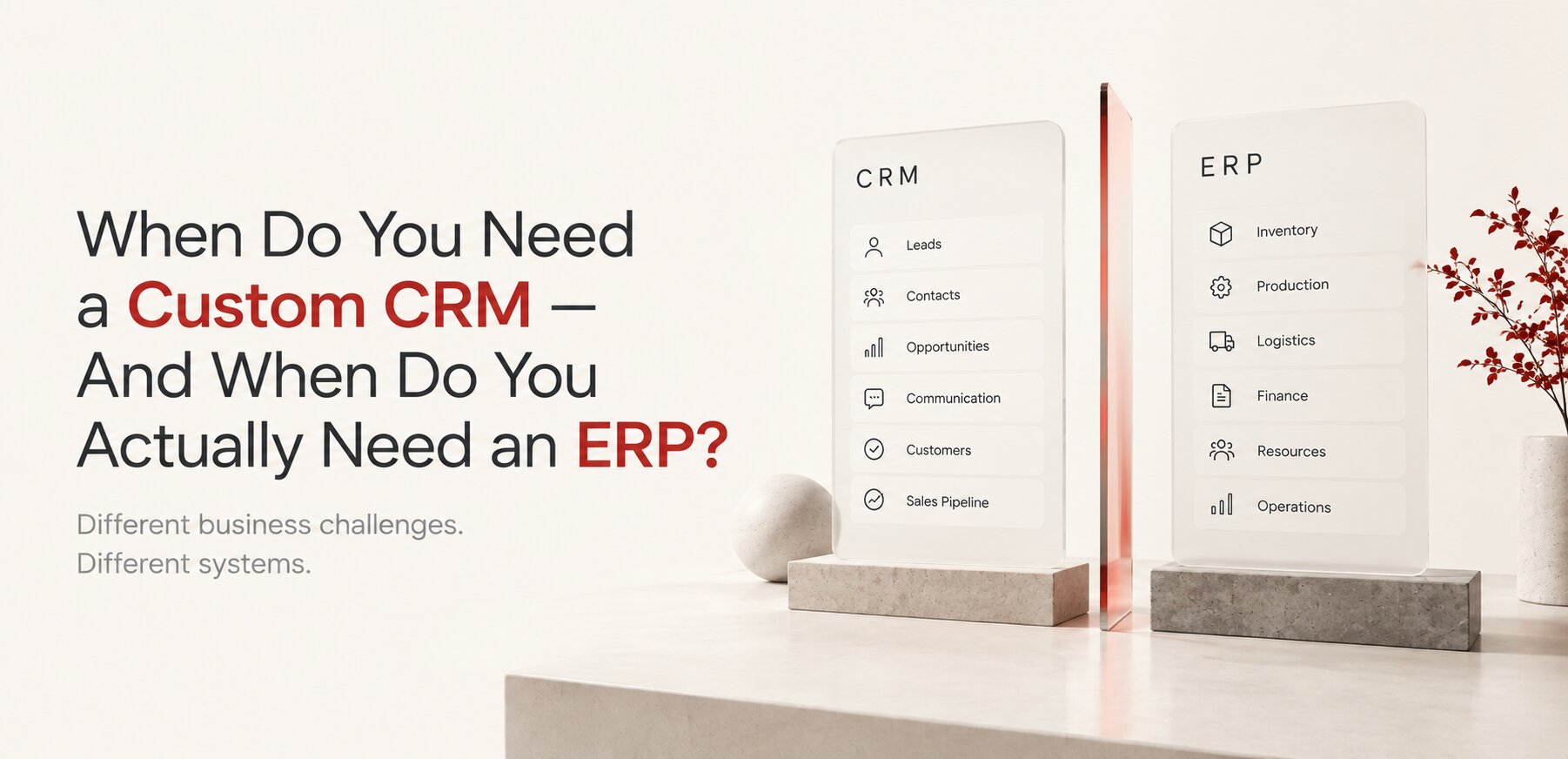
In short: a CRM manages relationships with customers and the path to revenue: leads, deals, contacts, communication, follow-ups. An ERP manages the operations behind every order: purchasing, inventory, production, logistics and finance. A CRM knows there is an order; an ERP knows what has to happen because of it. Many growing companies need both, connected, and sometimes a custom layer between them.
| CRM | ERP | |
|---|---|---|
| Focus | Customers and revenue | Operations and resources |
| Main users | Sales, marketing, account managers | Operations, purchasing, warehouse, finance |
| Core data | Leads, deals, contacts, communication | Orders, inventory, suppliers, costs, invoices |
| Key question | How do we win and keep customers? | How do we deliver what we sold? |
At some point, almost every growing company reaches the same uncomfortable moment. The CRM that once seemed perfectly adequate starts feeling too small. There are too many fields. Too many exceptions. Too many spreadsheets sitting next to it. Employees keep exporting data to Excel because the system does not show what they need. Salespeople create their own workflows. Managers ask developers to add another custom field, another automation, another integration.
So the obvious conclusion is: we need a custom CRM. But sometimes that conclusion is wrong. The problem may not be that your CRM is missing features. The problem may be that your business has outgrown the idea of using a CRM as the central system for running the company. And that leads to a much more important question: do you actually need a custom CRM, or do you need an ERP? Sometimes the answer is neither.
The software is only the visible part of the problem.
CRM VS ERP
What's the Difference Between CRM and ERP
The difference sounds simple, but it becomes surprisingly important as a company grows. A CRM is primarily designed around relationships with customers and the processes that lead to revenue. It helps a company manage leads, contacts, opportunities, sales pipelines, communication, customer history, follow-ups, sales activities, and account management. The central question of a CRM is: how do we manage our relationships with customers and turn those relationships into revenue?
An ERP looks at the company from a different direction. It connects the operational side of the business, purchasing, inventory, production, warehousing, logistics, finance, accounting, projects, resources, orders, and fulfillment. Its central question is closer to: how do we run the business once work needs to move through multiple departments and processes? This distinction becomes critical when the company starts using its CRM to manage things that are no longer really customer relationships.
THE CRM TRAP
The CRM Trap
I audited exactly this situation for a custom furniture manufacturer last year. A CRM works perfectly well at the beginning. A salesperson receives an inquiry, creates an opportunity, schedules a call, prepares a proposal, and eventually closes a $50,000 project. So far, everything makes sense. But after the customer signs, something else happens: the company needs to confirm the exact configuration, calculate materials, check inventory, contact suppliers, create purchase orders, schedule production, allocate employees, coordinate delivery, arrange installation, issue an invoice, and collect payment.
The CRM can potentially be customized to handle some of this. And then some more. And then even more. Eventually, the CRM contains custom objects for inventory, production, purchasing, installation, suppliers, commissions, and financial information. Technically, it may still be called a CRM. But functionally, the company is building an ERP inside a CRM, and that is usually the sign that something needs to be reconsidered.
STANDARD IS ENOUGH
When a Standard CRM Is Enough
Before talking about custom software, there is an important point that is often ignored: you may not need custom software at all. Modern CRM platforms can handle an enormous range of businesses. If your processes are relatively standard and your main challenges are related to sales and customer management, an established CRM may be exactly what you need.
A standard platform is usually preferable when your sales process is conventional, your customer lifecycle is straightforward, your team mainly needs contact and opportunity management, reporting requirements are relatively standard, integrations already exist, and your workflows can be configured without major compromises. In that situation, building your own CRM would often be an unnecessary expense. Custom software should not be the default answer simply because a company has money to invest in technology. This is the same calculation covered in the build vs. buy equation. The better question is: is there something genuinely unique about the way your business works? If the answer is no, existing software will often do the job better.
A professional services client came to us convinced they needed a custom CRM after outgrowing spreadsheets. After mapping their actual sales process, three stages, a handful of standard fields, no unusual approval logic, the honest recommendation was a properly configured HubSpot instance, not a custom build. The project that made sense was two weeks of configuration, not months of development, and it was the right call even though it meant less billable work for us.
Custom software should not be the default answer just because a company can afford it.
CUSTOM CRM FITS
So When Does a Custom CRM Actually Make Sense
Custom CRM development becomes interesting when the business itself has unusual logic. A single customer may have several decision-makers. A quote may depend on dozens of variables. Different products may require different approval chains. Pricing may change depending on customer history, volume, geography, contracts, inventory, or negotiated terms. A customer may move through a lifecycle that simply does not resemble the standard lead-to-opportunity-to-customer model.
A custom CRM can make sense in a few specific situations. Your sales process is genuinely unique, meaning your company has developed a proprietary sales methodology that gives it a competitive advantage, and forcing that process into a generic CRM creates unnecessary friction. Your quoting process is complex, a standard CRM can store a quote, but that does not mean it can generate the right quote if pricing depends on complex product configurations, rules, dependencies, discounts, materials, services, or customer-specific conditions. Your CRM has become a collection of workarounds, one of the strongest warning signs, if employees routinely say "the system doesn't really work this way, so we do this part in Excel," the problem may no longer be a missing feature, it may be the architecture. And your CRM has become part of the product itself, where the software isn't just used to sell, it becomes part of how the product is delivered, and a custom CRM becomes a strategic asset rather than an administrative tool.
There's another warning sign worth watching for. If your CRM now tracks customers through quotes, orders, purchasing, inventory, production, shipping, installation, and accounting, it's worth stepping back. You may have started by asking "how can we improve our CRM," but the more appropriate question may be "how do we manage the entire operational lifecycle of an order." That's an ERP question.
There's also a purely economic trigger that has nothing to do with process complexity. A lot of businesses buy a CRM and an ERP, then pay again for developers to integrate the two, without stopping to ask whether they needed either platform's full license in the first place. Every major CRM prices in tiers, and the entry tier is often too limited to actually run a business on. The jump to the tier that most growing teams actually need runs four to seven times higher per seat.
| Platform | Entry tier | Tier most growing teams need | Monthly cost at 100 seats |
|---|---|---|---|
| Salesforce Sales Cloud | $25/seat (Starter Suite) | $175/seat (Enterprise) | $2,500 vs $17,500 |
| Microsoft Dynamics 365 Sales | $65/seat (Professional) | $105/seat (Enterprise) | $6,500 vs $10,500 |
| HubSpot Sales Hub | $20/seat (Starter) | $100/seat (Professional) | $2,000 vs $10,000 |
At 10 to 20 employees, the gap between tiers is a rounding error, a few hundred dollars a month either way. At 100 or more, it becomes a real line item, often $10,000 to $17,500 a month on its own, before implementation, add-ons, or the integration work between systems. That number alone is frequently large enough to fund a custom system that does exactly what the business needs and nothing it doesn't. This is usually the point where "should we build our own CRM" stops being a hypothetical question. List prices shift often, so treat these as 2026 reference points, not a quote.
WHEN YOU NEED ERP
When You Actually Need an ERP
An ERP becomes relevant when the complexity of the business is no longer concentrated around customers. The complexity has moved into the operations of the company itself. One of our clients, an industrial equipment manufacturer, hit exactly this wall: a salesperson closes an order for 10,000 units, and the company now needs to know whether there's enough raw material, which supplier should provide it, what's already in inventory, what needs to be purchased, when production can start, which production line is available, how many employees are required, what the expected production cost is, when the order can ship, what the margin is, and whether the invoice has been paid. The CRM knows that there's an order. The ERP knows what needs to happen because of that order. That's the difference.
| CRM asks | ERP asks |
|---|---|
| Who is the customer? | How does the company fulfill the order? |
| What does the customer want? | What resources are required? |
| Where is the opportunity? | What needs to be purchased? |
| Who spoke with the customer? | What is in inventory? |
| What is the expected revenue? | What does it cost to deliver? |
| What should sales do next? | What should operations do next? |
Neither system is inherently better. They simply operate at different levels of the business.
BOTH OR A THIRD THING
Sometimes You Need Both, and Sometimes You Need a Third Thing
In a mature organization, CRM and ERP are often complementary rather than competing systems. The CRM manages the commercial relationship (lead, opportunity, customer, order). The ERP manages the operational reality behind the transaction (order, procurement, inventory, production, delivery, invoice). A salesperson should not need to manually copy an order from one system into another. Inventory should not live in a spreadsheet that nobody trusts. Finance should not have to reconstruct the history of a transaction from emails. The systems should exchange information automatically.
We connected exactly this kind of gap for an e-commerce client running Salesforce for sales and a separate warehouse system for fulfillment, instead of replacing either. A custom integration layer synced orders automatically in both directions, no manual re-entry, no spreadsheet reconciling the two at month end. The fix took a fraction of the time a full CRM or ERP replacement would have, because neither system was actually broken, they just weren't talking to each other.
There's also a third possibility, increasingly common: you may not need to build a custom CRM, and you may not need to replace your ERP. You may need a custom layer between your existing systems, connecting CRM, ERP, a customer portal, custom workflows, integrations, and business intelligence into something that works as one system without replacing any of the pieces that already work. Custom software does not mean rebuilding Salesforce, SAP, or Microsoft Dynamics from scratch, the same logic applies to custom software versus a website builder at the web layer. Sometimes the smartest custom system is relatively small. Its value comes from connecting systems and automating the places where generic software stops fitting the business.
HOW TO DECIDE
How to Actually Figure Out Which One You Need
Start with the problem, not the software. Ask your team where work becomes difficult. Where do employees duplicate information? Where does someone have to export data into Excel? Where are approvals happening through email instead of the system? Where are decisions being made manually that should be automatic? Where does information disappear between departments? Where does a salesperson promise something operations can't easily verify? Where does accounting receive information too late to matter? These questions are more useful than asking which CRM to buy or whether to build a custom one, because the software is only the visible part of the problem. The real issue is the structure underneath it.
A Simple Decision Framework
| Situation | What you probably need |
|---|---|
| Managing customers, leads, and sales activities with conventional processes | A standard CRM |
| Sales process, pricing, quoting, or customer lifecycle is genuinely unique | A custom CRM |
| Complexity extends into purchasing, inventory, production, logistics, or finance | An ERP |
| Sales and operations have different system needs but must exchange information constantly | Both, connected |
| Existing CRM and ERP are each adequate, but the business works in the gap between them | A custom business platform |
| The process itself is broken, not the software | Nothing yet, fix the process first |
Automating a bad process only makes a bad process faster.
Don't Start With What to Build
This is where many software projects go wrong. A company decides it needs a CRM, someone creates a feature list, developers estimate it, the company spends months building it, and only later does someone ask whether those features actually solve the underlying business problem. A better process starts by understanding the business first: mapping the processes, identifying the bottlenecks, understanding where information is created, transformed, duplicated, and lost, determining which parts are standard and which are genuinely unique. Only after that should the technology decision get specific.
The question was never "do we need a custom CRM." It's "what system does our business actually need to operate better." Sometimes the answer is HubSpot. Sometimes it's Salesforce. Sometimes it's an ERP, and sometimes the trigger looks like when a business outgrows WordPress rather than outgrowing a CRM specifically. Sometimes it's a combination, connected properly. And sometimes it's a custom application built around a process that simply doesn't exist in off-the-shelf software. The goal was never to build more software. It was always to build the right structure around the way the business actually works.
If you are still working out what the difference between the two systems means for your business, or how to leave an old 1C, we cover it in CRM vs ERP: What Is the Difference and Which One Do You Need?.
FAQ
Frequently Asked Questions
What is the difference between CRM and ERP?
A CRM manages customer relationships and the path to revenue: leads, deals, contacts and communication. An ERP manages the operational side of the business: purchasing, inventory, production, logistics and finance. A CRM knows there is an order; an ERP knows what has to happen because of it.
Does a business need both a CRM and an ERP?
Many growing companies do. A CRM runs sales, an ERP runs operations, and the two should exchange data automatically. Smaller service businesses often need only a CRM; when complexity moves into purchasing, inventory or production, an ERP becomes necessary.
How do I know if my CRM problem is a feature gap or an architecture problem?
If adding features keeps solving one issue while creating two new workarounds, that's usually architecture, not a feature gap. A genuine feature gap gets fixed and stays fixed.
Is a custom CRM always more expensive than a standard platform long term?
Not necessarily. Per-seat licensing on standard platforms scales with headcount indefinitely. A custom system has a larger upfront cost but a flatter cost curve as the team grows, which can make it cheaper over a 3 to 5 year horizon at the right scale.
Can an existing CRM and ERP be connected instead of replaced?
Yes, and this is often the right answer before a full rebuild of either system. Integration work is usually far less expensive than replacing a system that's already working for its core purpose.
Do you build ERPs, or just custom CRMs and integration layers?
We build custom CRM systems, business platforms, and the integration layers that connect them to existing tools like HubSpot, Salesforce, or an ERP your business already runs. For a full ERP replacement, the right answer is sometimes a specialized ERP vendor, and we'll tell you that directly if that's what the situation actually calls for.
How long does it typically take to know whether we need a custom CRM or an ERP?
A proper diagnostic, mapping the actual process and where it breaks down, usually takes one to two weeks. That's far cheaper than starting a build in the wrong direction and finding out six months in.
What happens if we build a custom CRM and later realize we actually needed an ERP?
This is exactly the CRM trap described above, and it's recoverable, but expensive to unwind. A CRM with ERP-shaped custom objects bolted on usually needs significant rearchitecting, not a small pivot, which is why getting the diagnosis right upfront matters more than moving fast.
Can a small business justify a custom CRM, or is it only for larger companies?
Size matters less than process uniqueness. A small business with a genuinely unusual sales process can justify a custom CRM sooner than a large company with a completely standard one. The decision framework above is about the shape of the problem, not the size of the company.
Not sure whether your business needs a custom CRM, an ERP, or just an integration layer between the systems you already have? We start with the actual problem, not a feature list.
Or already know it's a custom CRM you need?
Still deciding between standard platforms first? See which CRM is right for your business.
Explore Custom CRM Development
For a real story of exactly this pattern playing out, see every enterprise system started as someone's spreadsheet.
For the same question applied to websites instead of CRM systems, see how much a custom website actually costs.
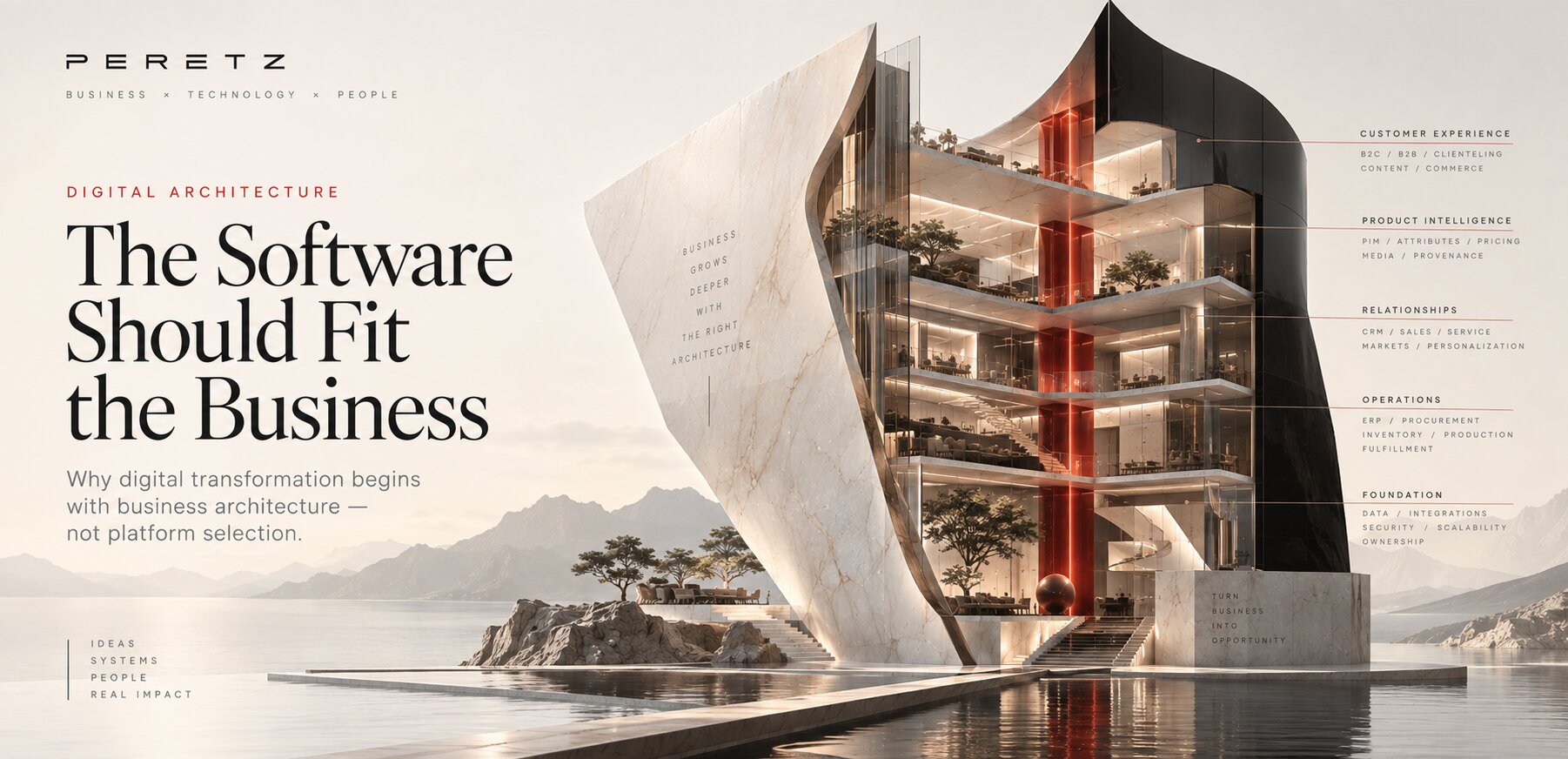
For the bigger picture this all fits into, see digital architecture.
Choosing the right CRM is only half the work, designing how people actually use it is the other half, see Product Design vs UX/UI.
For the broader ownership question this fits into, see what you own vs what you're renting.
Automotive dealer networks are one of the most demanding real versions of this, see automotive digital systems, from catalog to lifecycle.
See the fuller architecture thesis, with real cases, in the software should fit the business.
- Share
-

-

-

-

One notification a week with the new PERETZ articles. Nothing else.
Related Reading
-
17. 07. 2026
The Build vs. Buy Equation Has Changed. Most Companies Have Not Recalculated It.

-
23. 08. 2026
Custom Website vs Website Builder: What Should a Business Choose?
-
23. 08. 2026
When Does a Business Outgrow WordPress?
-
23. 08. 2026
How Much Does a Custom Website Cost in 2026?
-
16. 08. 2026
Why Family-Owned Jewelry Stores Outgrow Their E-commerce Platform
-
10. 09. 2026
Which CRM Is Right for Your Business? A Practical Guide to Choosing a CRM System
-
02. 08. 2026
Every Enterprise System Started as Someone's Spreadsheet
-
11. 09. 2026

Digital Architecture: How to Build a System That Can Grow With Your Business
-
12. 09. 2026

Product Design vs UX/UI: Where Does a Digital Product Actually Begin?
-
16. 09. 2026
What You Own vs What You're Renting: The Digital Ownership Audit
-
17. 09. 2026
When E-Commerce Becomes a Business System
-
18. 09. 2026

The Customer Sees a Car Catalog. The Business Runs a Lifecycle System.
-
21. 09. 2026
The Software Should Fit the Business
-
14. 10. 2026
CRM vs ERP: What Is the Difference and Which One Do You Need?